
Ask for more!
We're happy to develop more fields, please just ask us detailing your usecase. We are just lacking examples and usecases to go further.
We have an integration with testing tools in Jira such as: Xray (see previous page) and Zephyr Scale, and both of them appear in our traceability matrix.
In summary, it is possible to display fields related to Zephyr.
How to link and see Zephyr tests
To link requirements to Zephyr tests, you need to create a Jira issue in between.
-
Create a requirement link to a Jira issue
-
Link your Zephyr test item to the Jira issue.
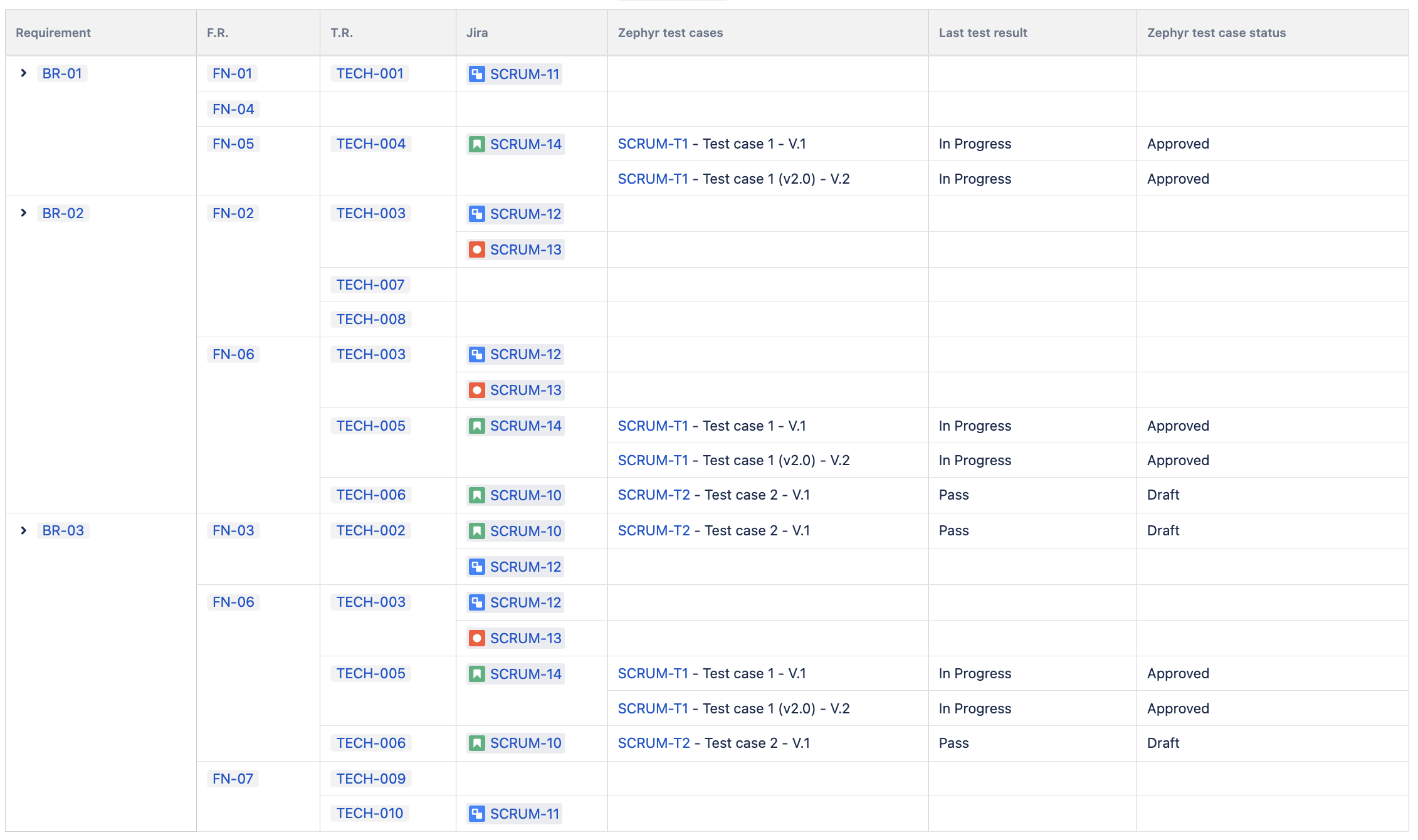
Then, in the Traceability Matrix, you will be able to display issues, and the tests associated.
-
Open the Traceability Matrix
-
In the requirement’s column, click on the ⚙️ and display Jira issues.
-
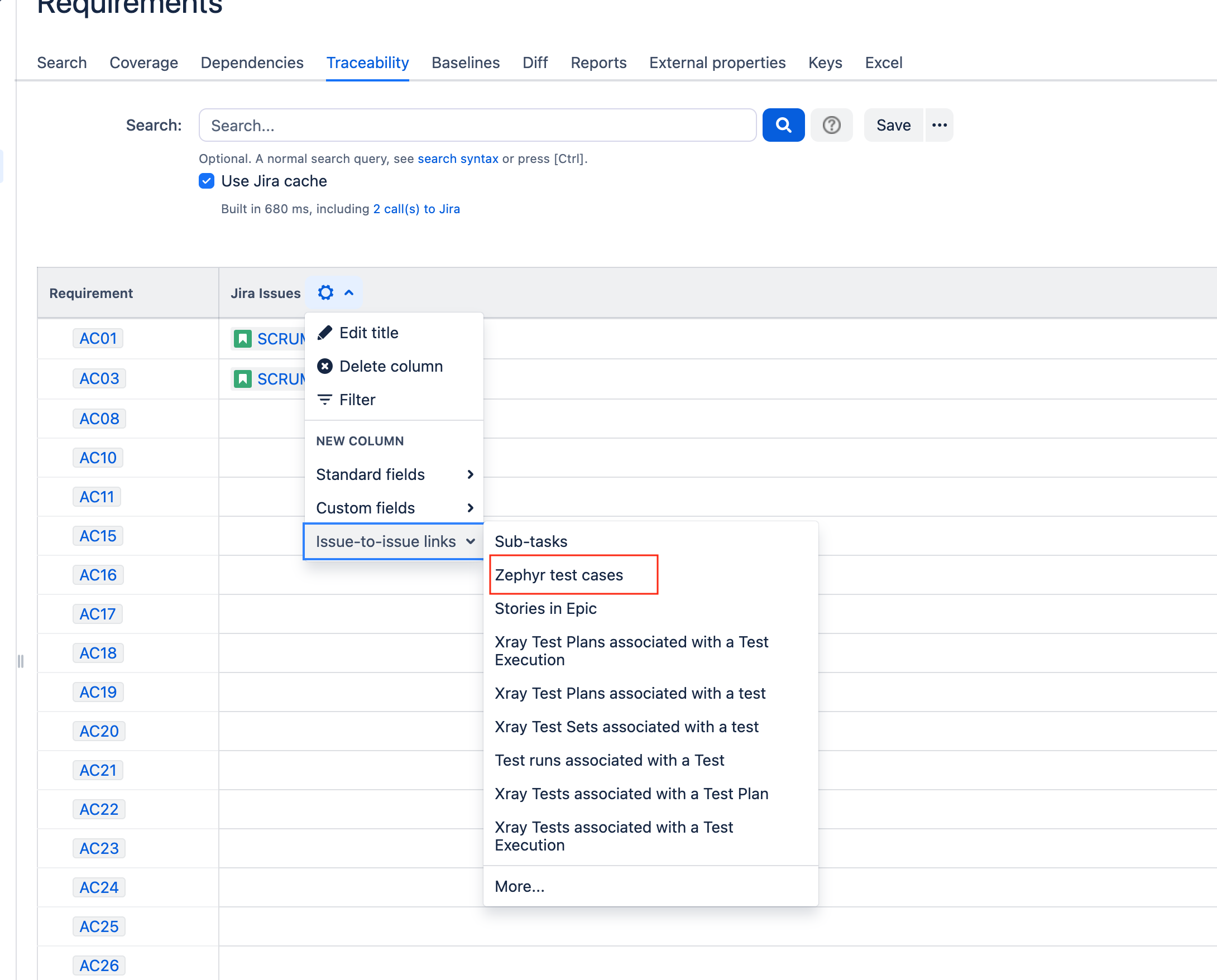
Then, in the Jira issue columns, click on ‘Issue to Issue links’ > Zephyr test cases.
Supported Zephyr fields
|
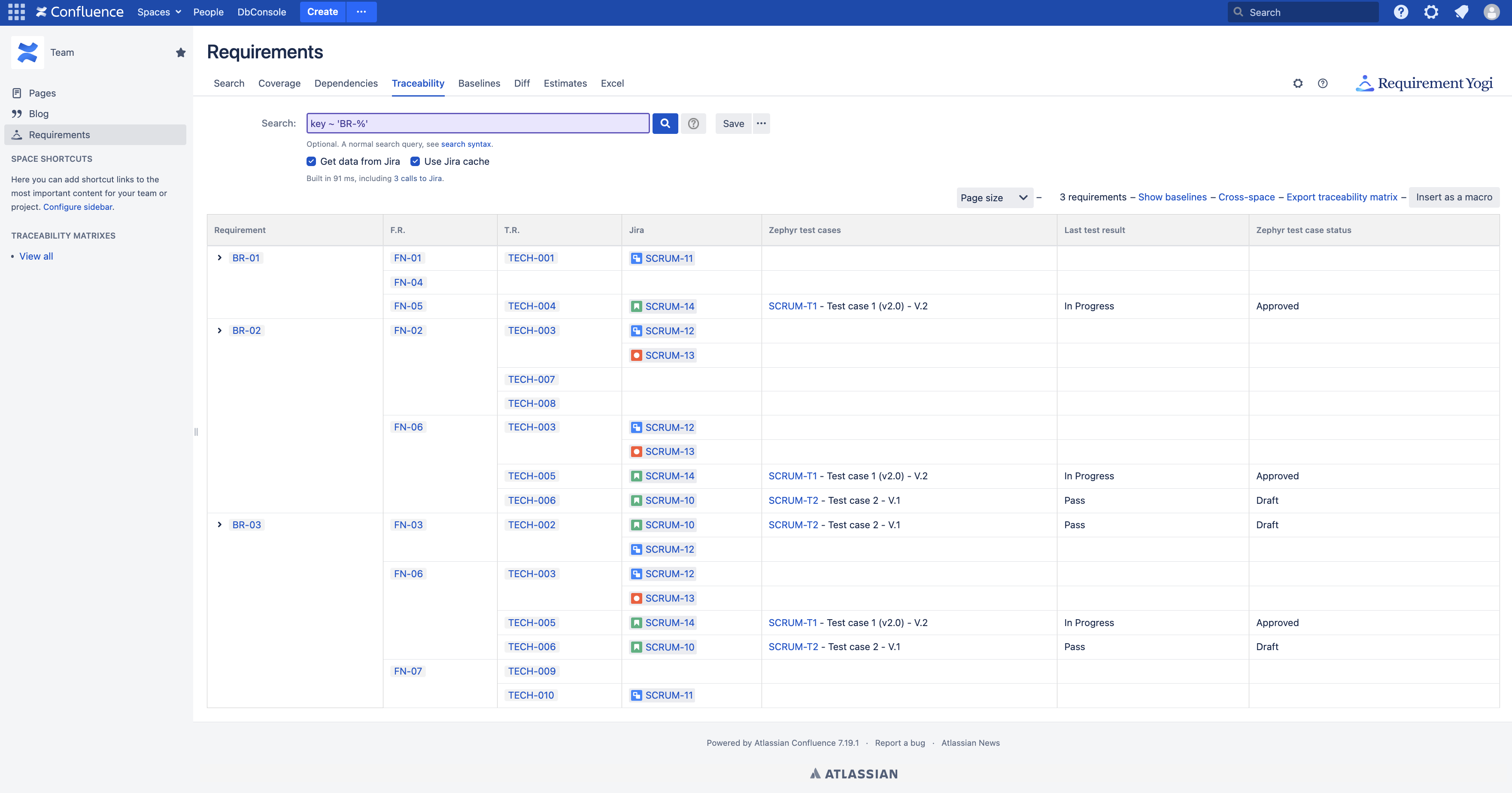
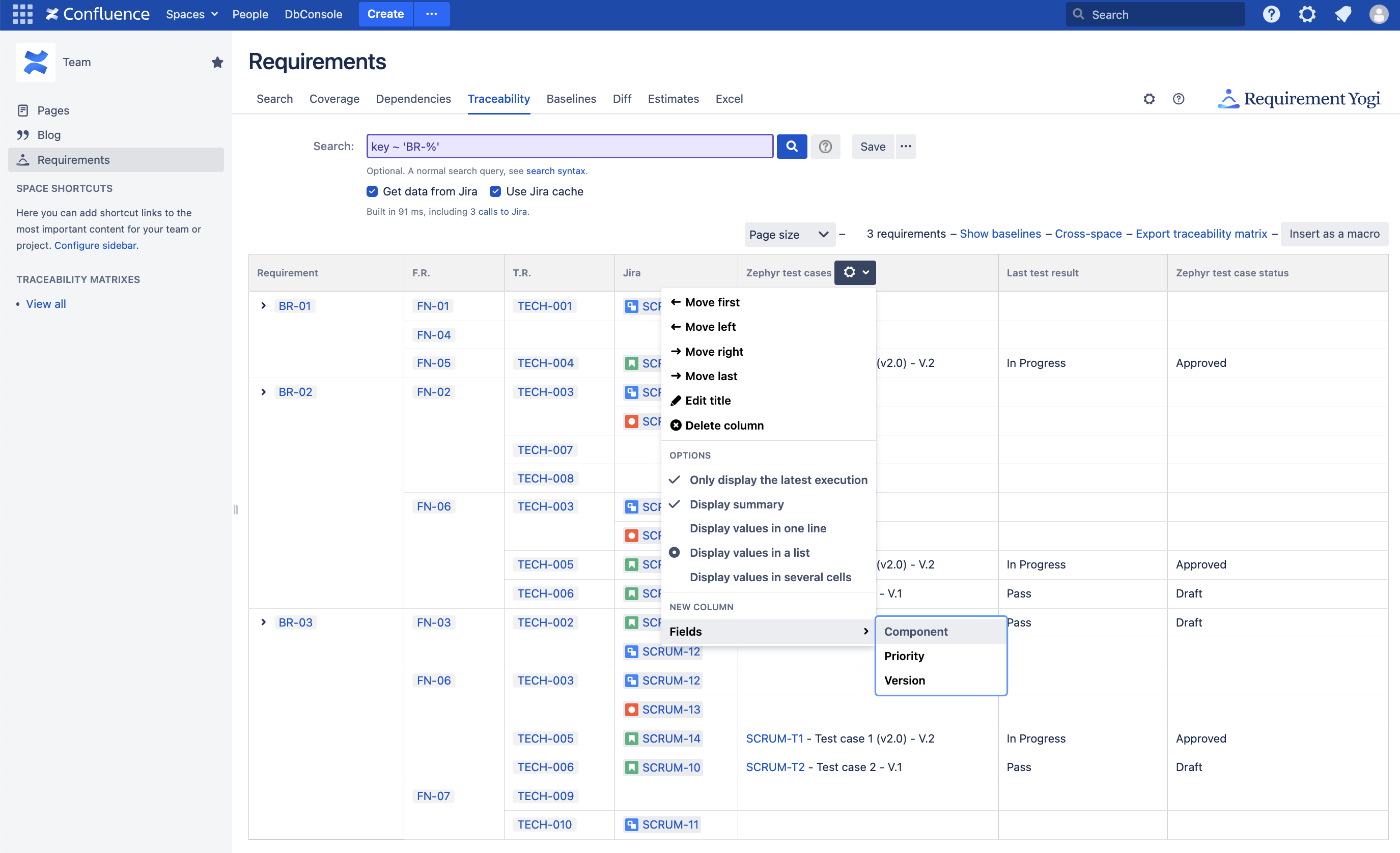
You can display test cases associated with a Jira issue. The hyperlink goes directly to the Zephyr test case. We also display the last test result, the status of the test case, the component, priority, version. |
|
|
Here is the menu to add more fields: |
|
Options on the Zephyr column
|
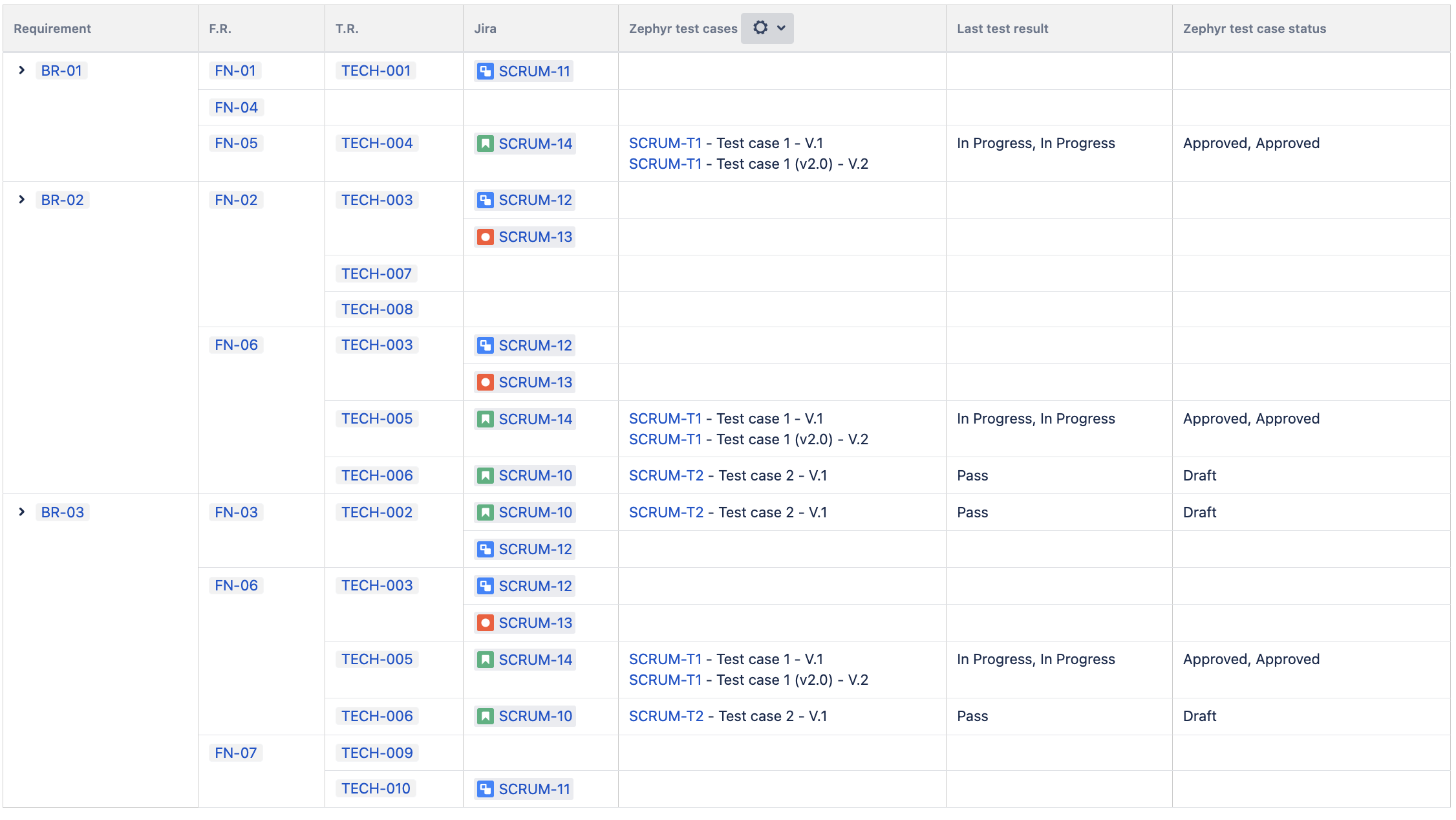
On the columns where there are Zephyr test cases, it is also possible to filter records. If you don't tick "Only display the latest execution", then all tests are displayed: |
|
|
As you see, all test results are concatenated, so it is also possible to display them in separate cells (the last option in the menu): |
|