
This page explains how to link one or multiple requirements to existing Jira issues, so teams can keep product requirements and delivery work connected and traceable.
-
Associate requirements with Jira issues that already exist.
-
Link a single Requirement to one or more Jira issues,
-
Select multiple Requirements and link them in bulk.
When to use this feature
-
Use it when Jira issues have already been created and you want to connect them to Requirements.
-
Use it to maintain traceability between business needs, specifications, development tasks, bugs, stories, or epics.
-
Use bulk linking when several Rrequirements relate to the same Jira issue or set of Jira issues.
Before you begin
-
You will need to have Requirement Yogi for Jira installed.
-
Make sure you have access to the Jira project containing the issue or issues you want to link.
-
Check that you have permission to view the selected requirements and the target Jira issues.
How to link requirements to Jira issues, in Confluence ?
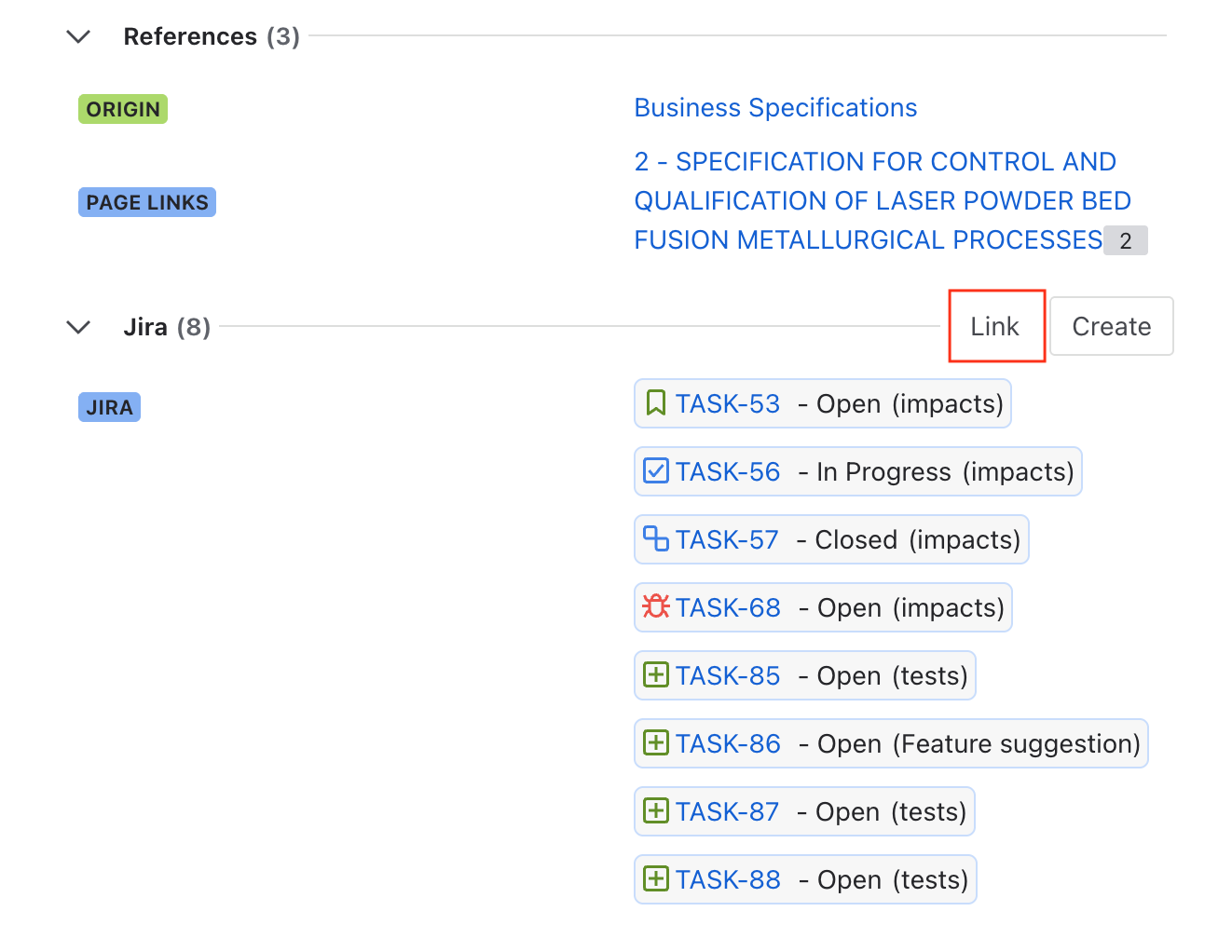
Link a requirement from the details page
|
|
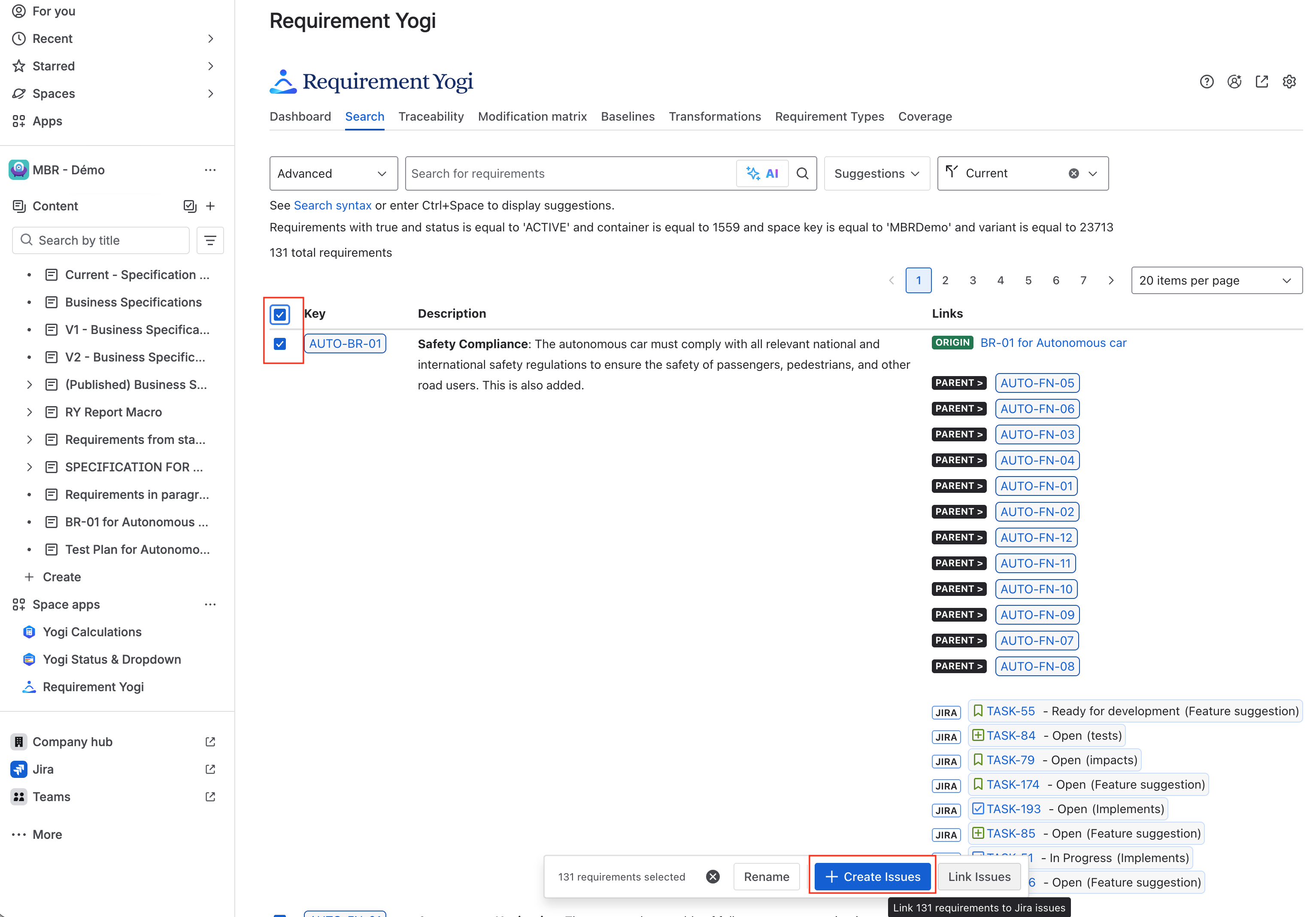
Link requirements from the search tab
Each selected Requirement is linked to the selected Jira issue or issues. |
|
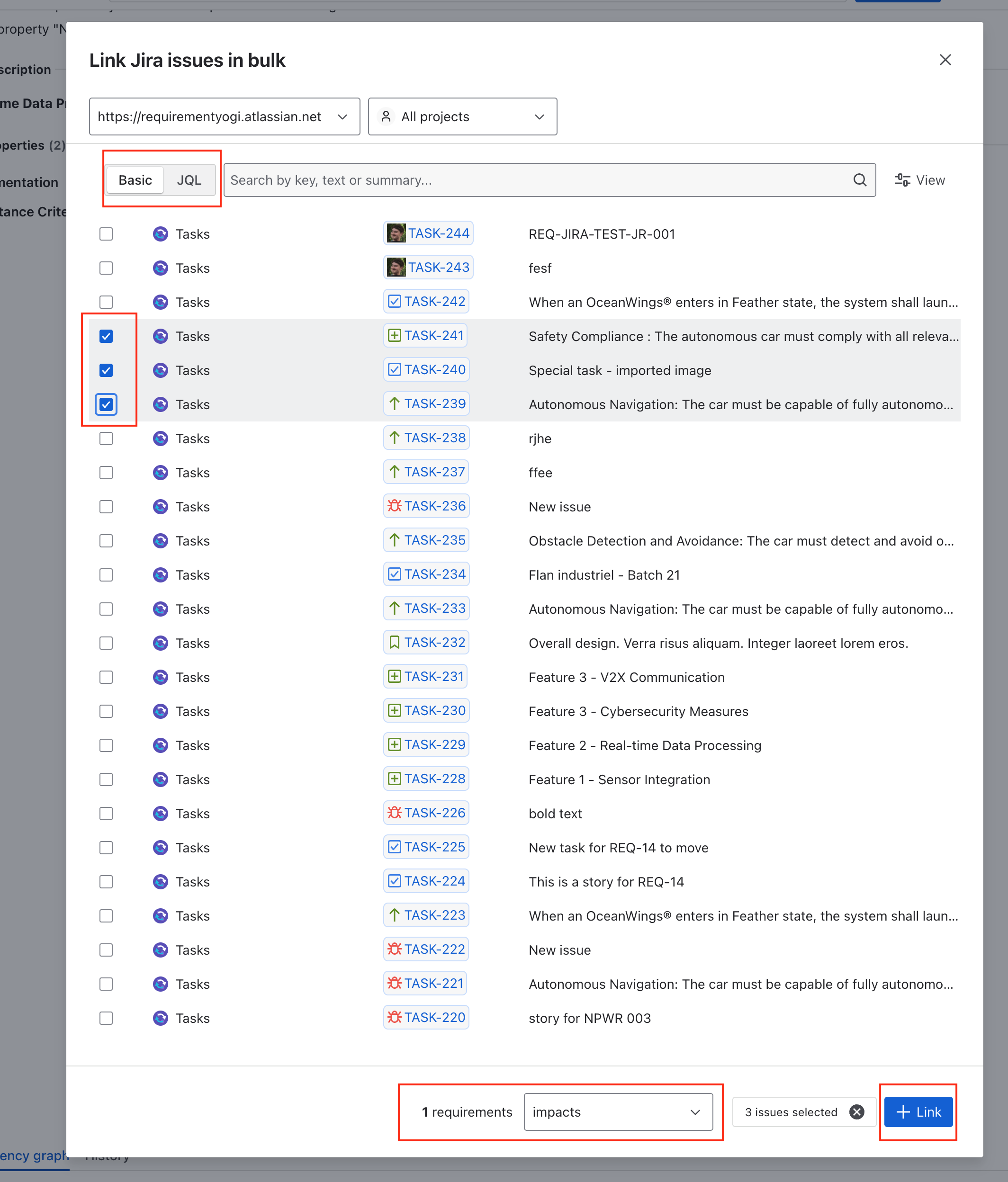
Search for Jira items
After confirmation, the selected Jira issue or issues are associated with the Requirement. |
|
Result
Once the link is created, the Requirement displays the associated Jira issue information. Depending on the view, this may include the Jira issue key, summary, status, and a direct link to the issue in Jira.
How to link requirements to Jira issues, in Jira ?
|
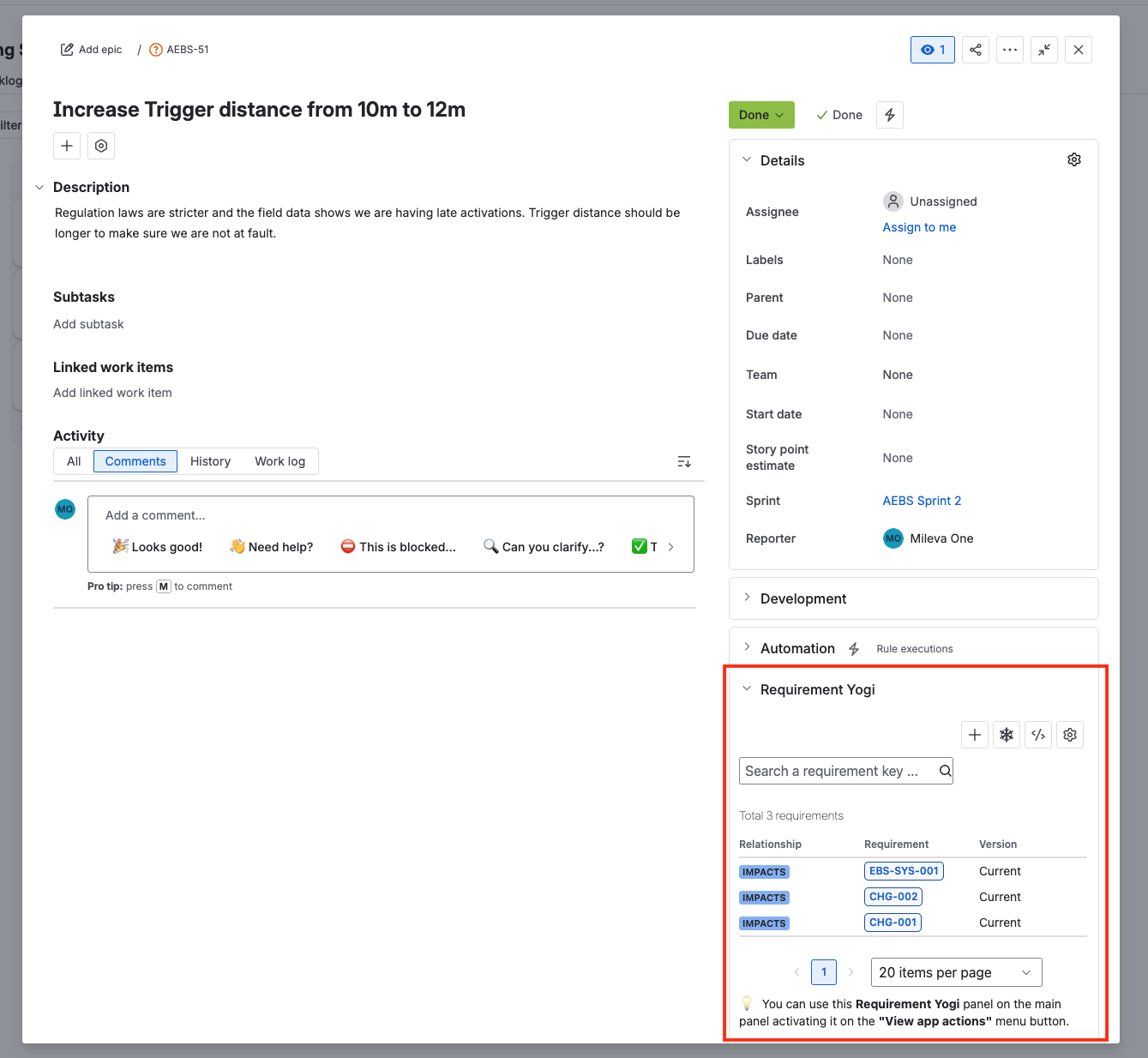
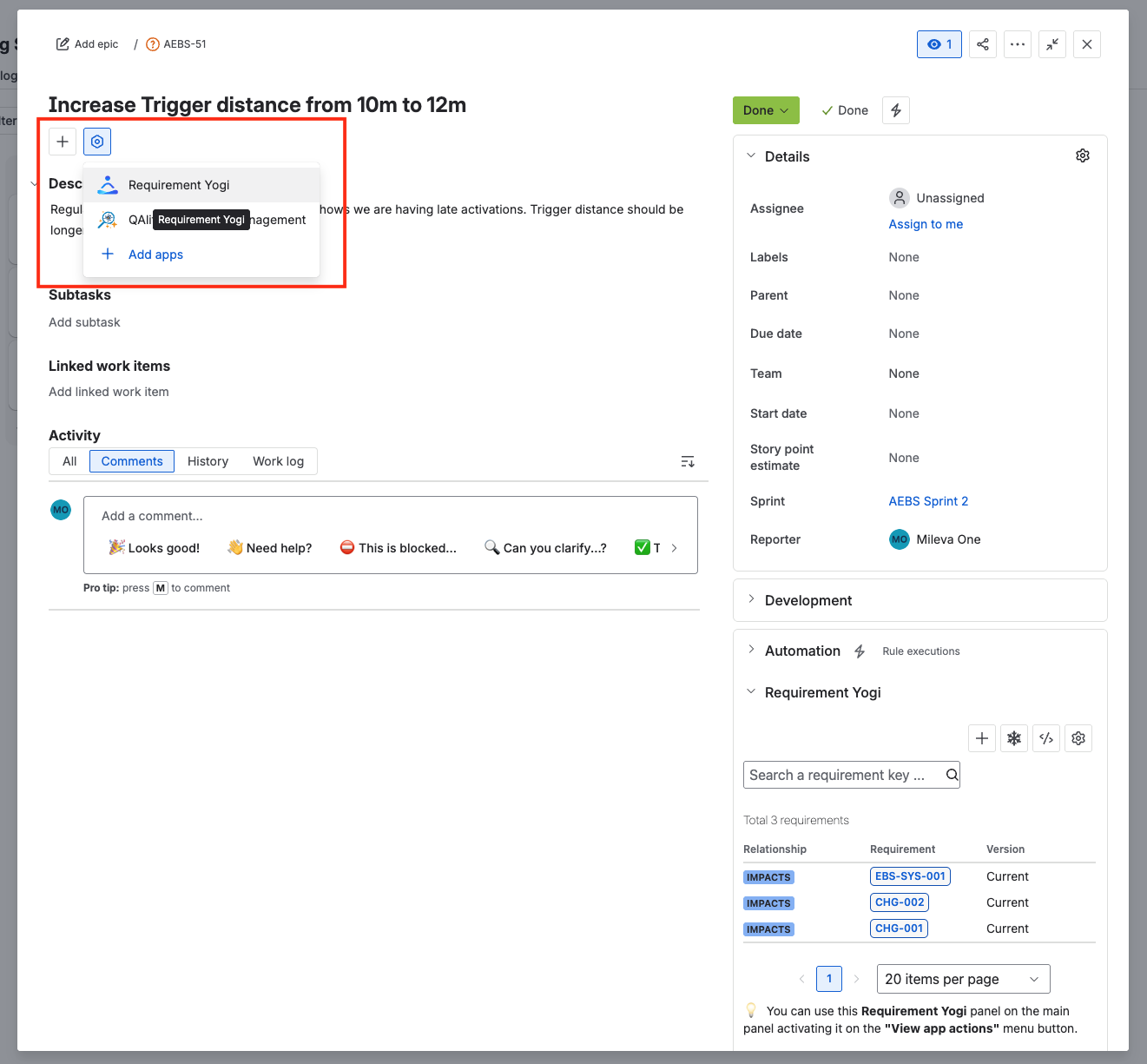
Open a Jira issue, you will always be able to see the RY Panel in the left sidebar: |
|
|
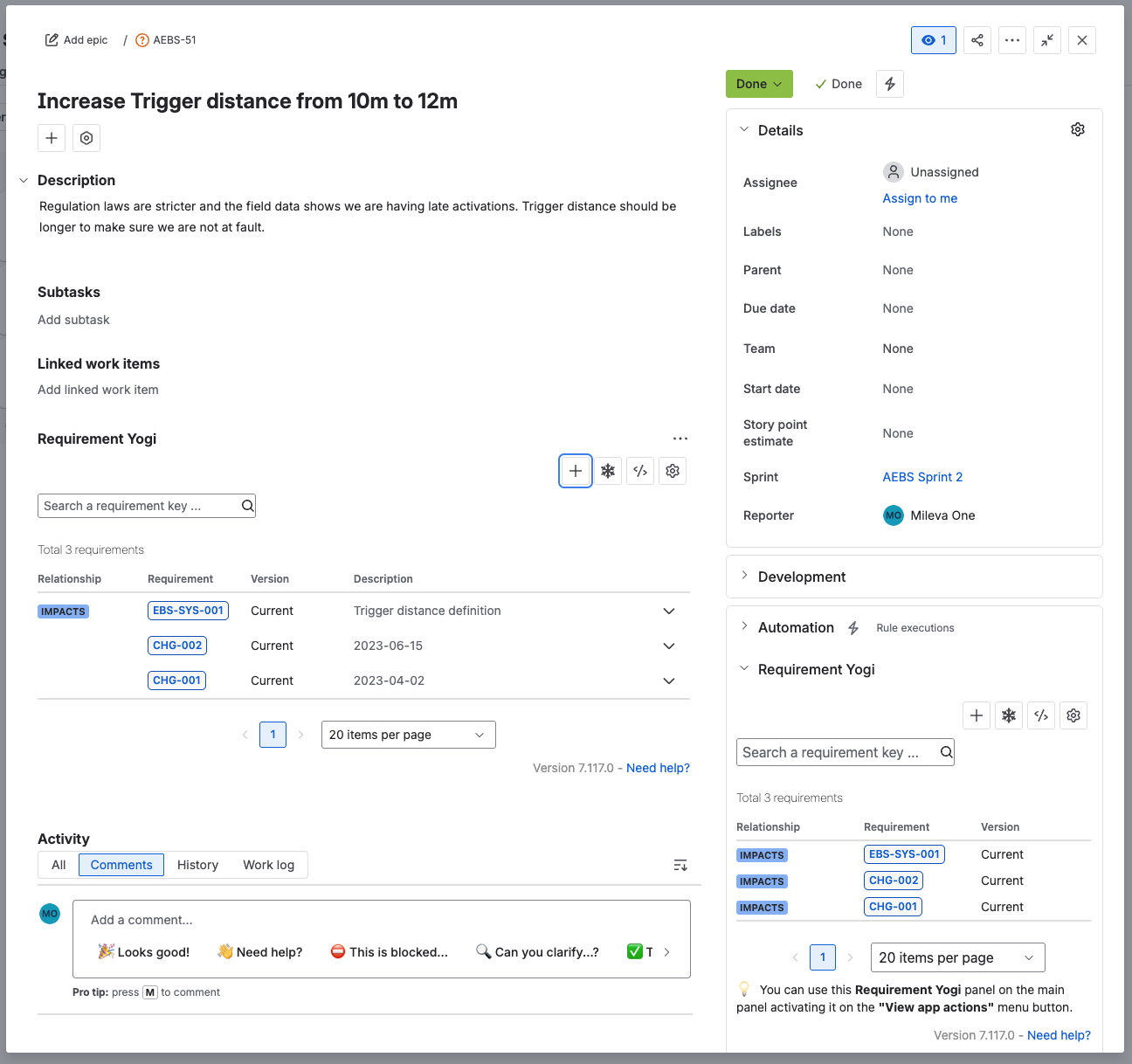
If you want to see the requirements in a more central way, you can include the panel below the description.
|
|
|
Now you can see your requirements directly in the Issue, as a list. |
|
|
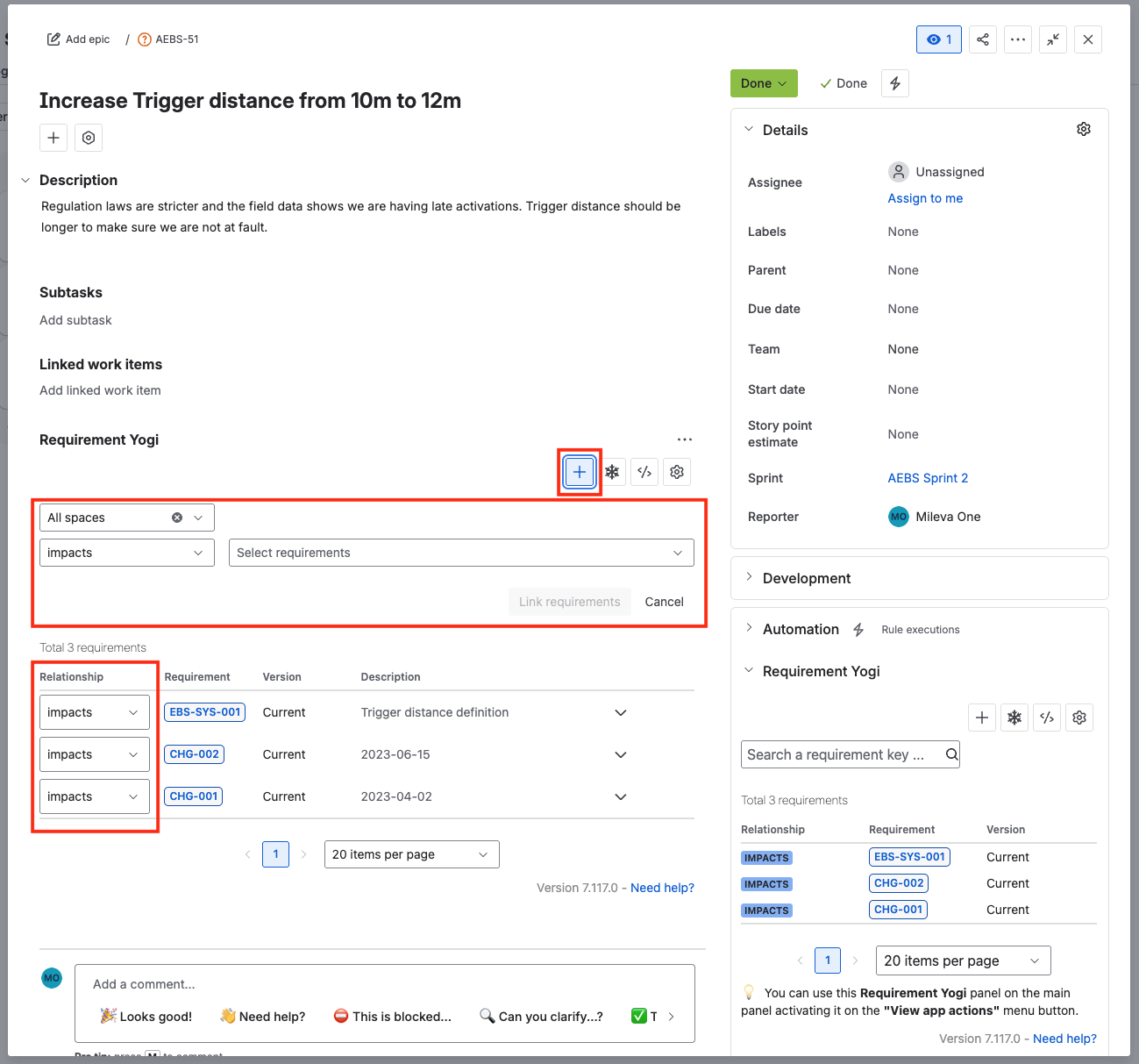
Click on edit to access the content. You need to have permission to edit the issue to add or remove requirements
|
|
Notes and limitations
-
Linking a Requirement to a Jira issue does not create a new Jira issue.
-
Multiple Requirements can be linked to the same Jira issue.
-
A single Requirement can be linked to multiple Jira issues.
-
If a Jira issue cannot be found, verify the issue key, project access, and permissions.
-
We limit the number of created links to 500 (nbr of requirements x nbr of issues)
Frequently Asked Questions
Can I create Jira issues from the requirements ?
Yes. You can follow this guide to learn how: Create Jira issues from Requirements .
Is there a way to bulk add requirement links to an issue, in Jira ?
You can use the advanced mode and CSV format to add, edit and delete requirement links in bulk: Advanced: Bulk link requirements to Jira issues