
This issue is related to an internal framework migration requested by Atlassian for all marketplace apps. Please see more information here: Migration to Forge.
Use case
-
If you are in the following situation:
-
When opening a page, the page loading is very slow
-
When refreshing a page, the RY macros are very slow to load.
-
There is an infinite spinner for the RY macros.
-
-
We can offer to use native Confluence links instead of macros, which can display faster.
-
Those links will be indexed as if they are requirements, using the label of the link as the key,
-
Those links can be automatically updated using a transformation (provided).
-
Explanations
As part of our migration from Connect to Forge, our usual macros have changed, and they are now rendered through the Forge framework, as per Atlassian’s documentation.
When we were using Connect, our remote server was responsible to return html for the content of the requirement yogi macros. On Forge, the Atlassian team didn’t replicate this type of macros, and only have 'Dynamic macros' that are rendered via a system of <iframes>. Unfortunately, every iframe instance is isolated from the rest of the page, which requires many resources from your internet browser and can even crash the page.
You can see the solution offered by Atlassian on this page: Pages and macros do not load - Static macros. The ‘Static-macros’ implementation is not yet available to all instances as Atlassian is also working on scaling their new feature.
If you do not want to wait for Atlassian’s feature to be available, we have also worked on a possible workaround on our side: Native Confluence links.
❗️Please be aware this is a dark feature and you should open a support ticket with our team to benefit from this feature.
What to expect - Appearance
|
|
Dynamic Macros on Forge |
Static Macros on Forge |
Native Confluence links |
|---|---|---|---|
|
View mode |
|
|
|
|
Edit mode |
|
|
|
|
|
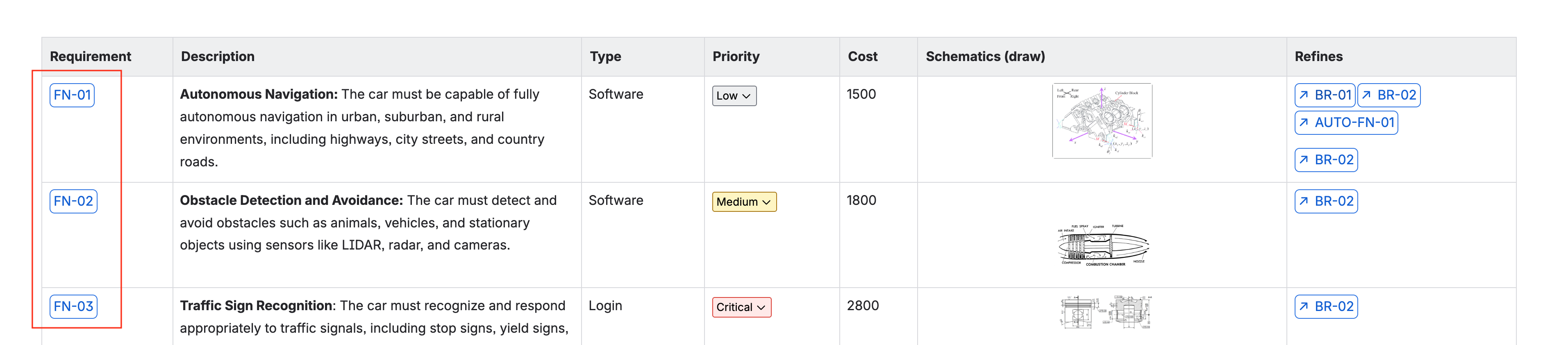
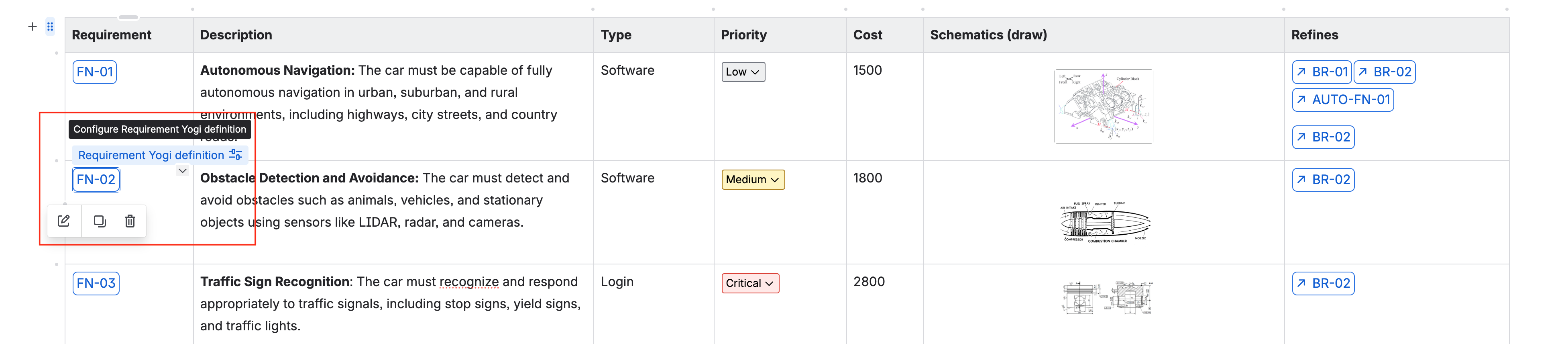
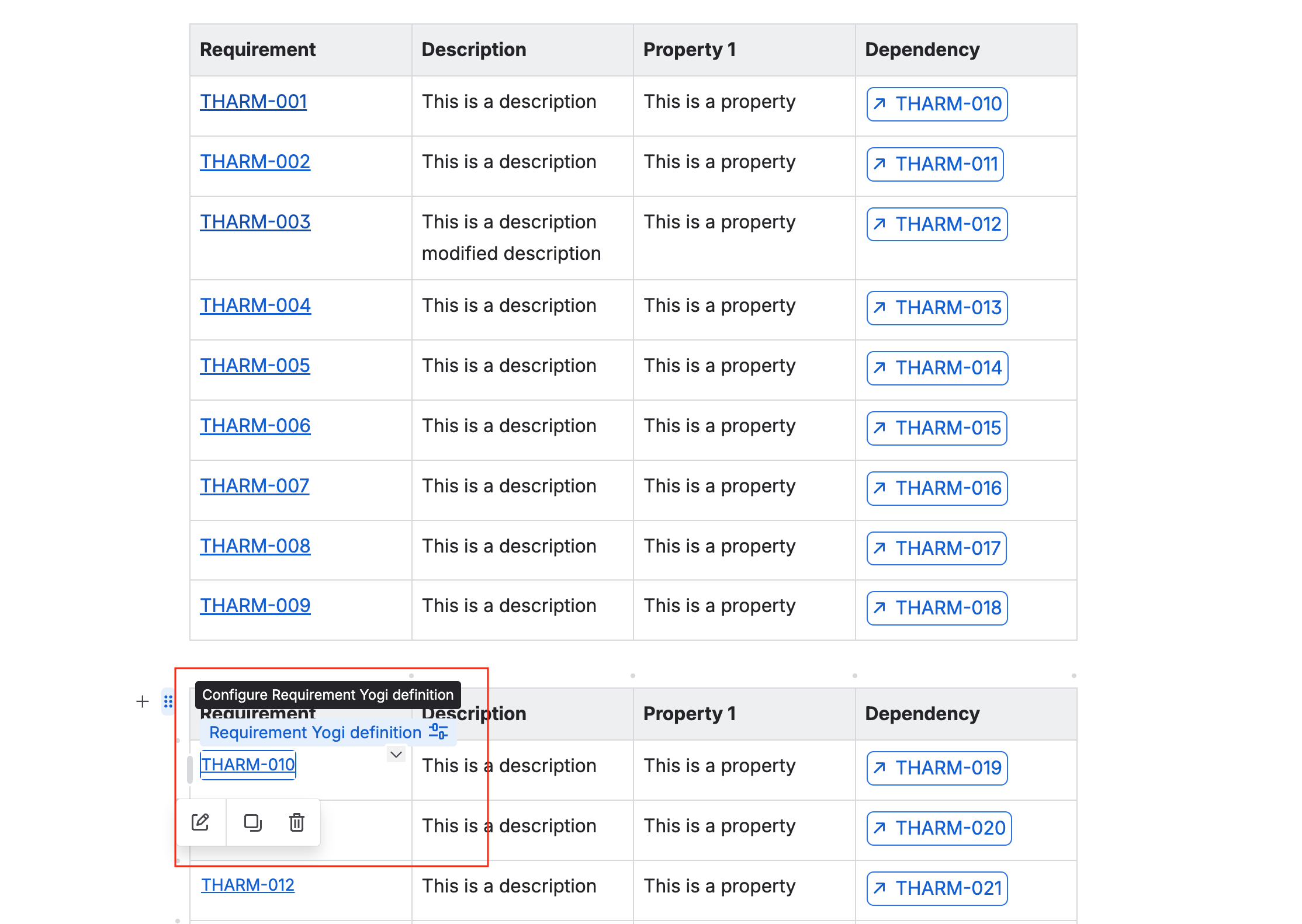
You can see the definition macros here (on the left) have a rectangle around them. |
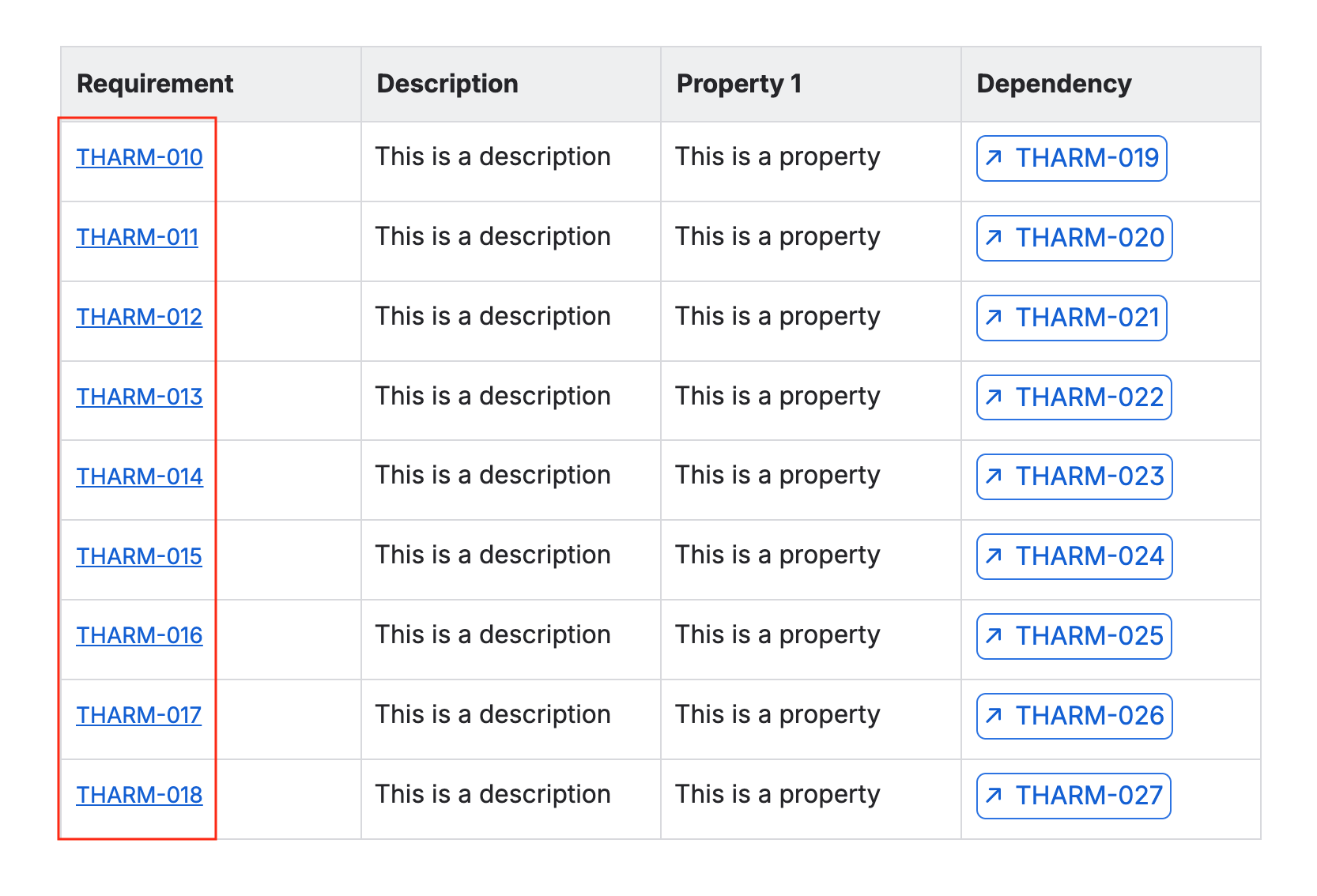
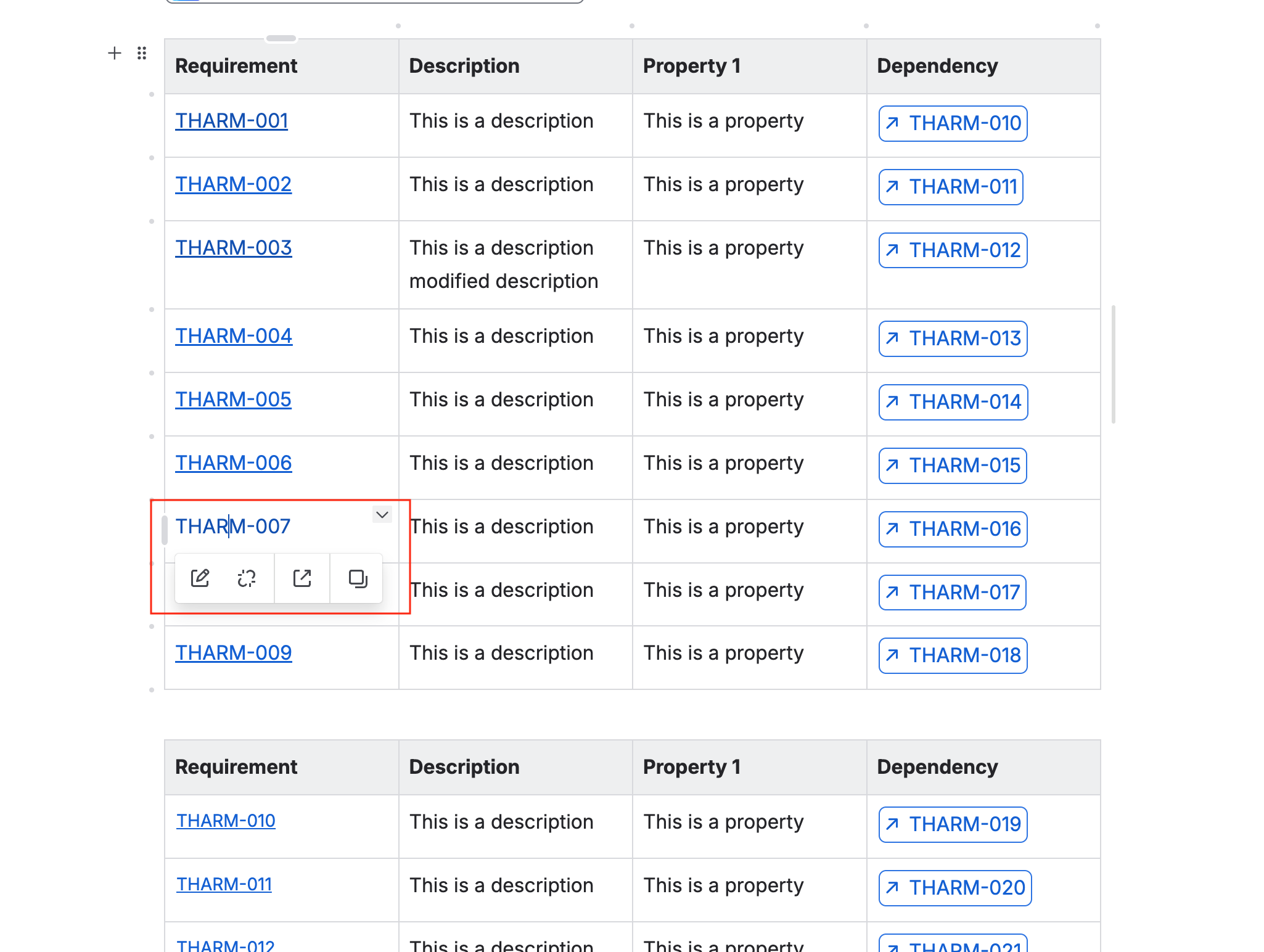
You can see now that the requirement macros have been transformed into hyperlinks. |
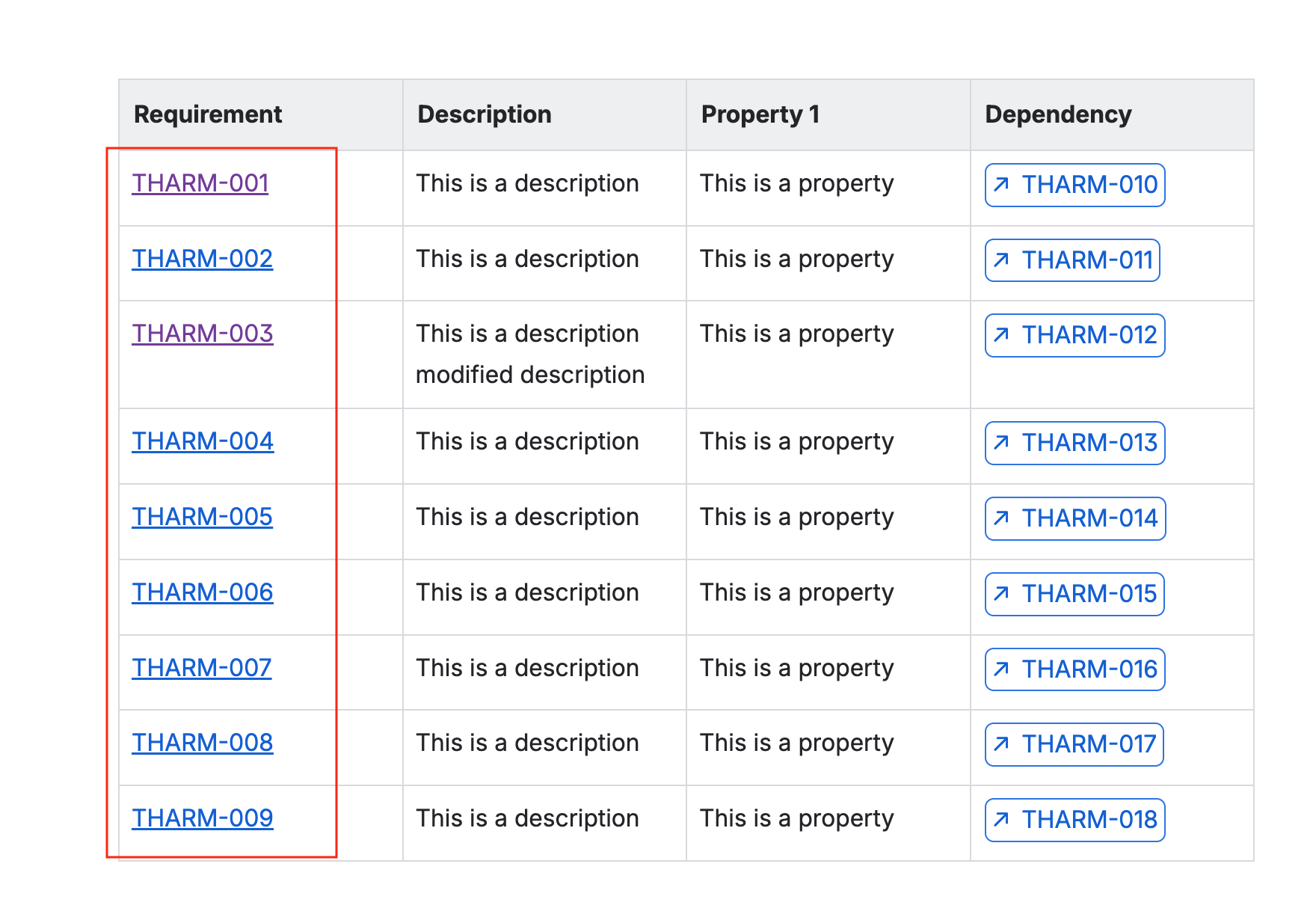
You can see now that the requirement macros have been transformed into hyperlinks. |
What to expect - Functionally
|
Dynamic Macros on Forge |
Static Macros on Forge |
Native Confluence links |
|---|---|---|
|
Dynamic macros work as they have always worked:
|
Static macros work like dynamic macros:
|
Native Confluence hyperlinks are not macros, they are literal hyperlinks put on text.
|
How to transform requirement definition macros into native Confluence links ?
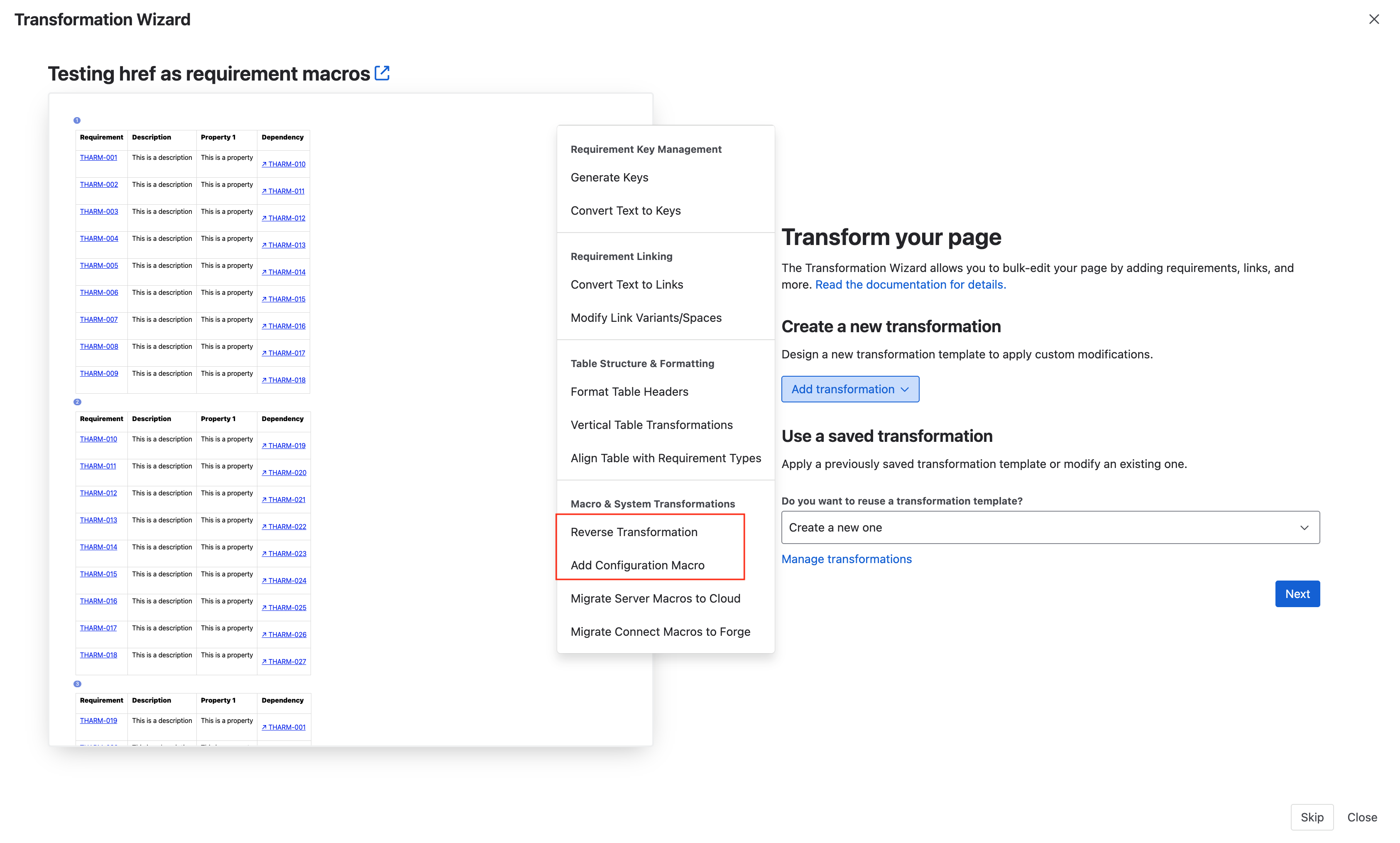
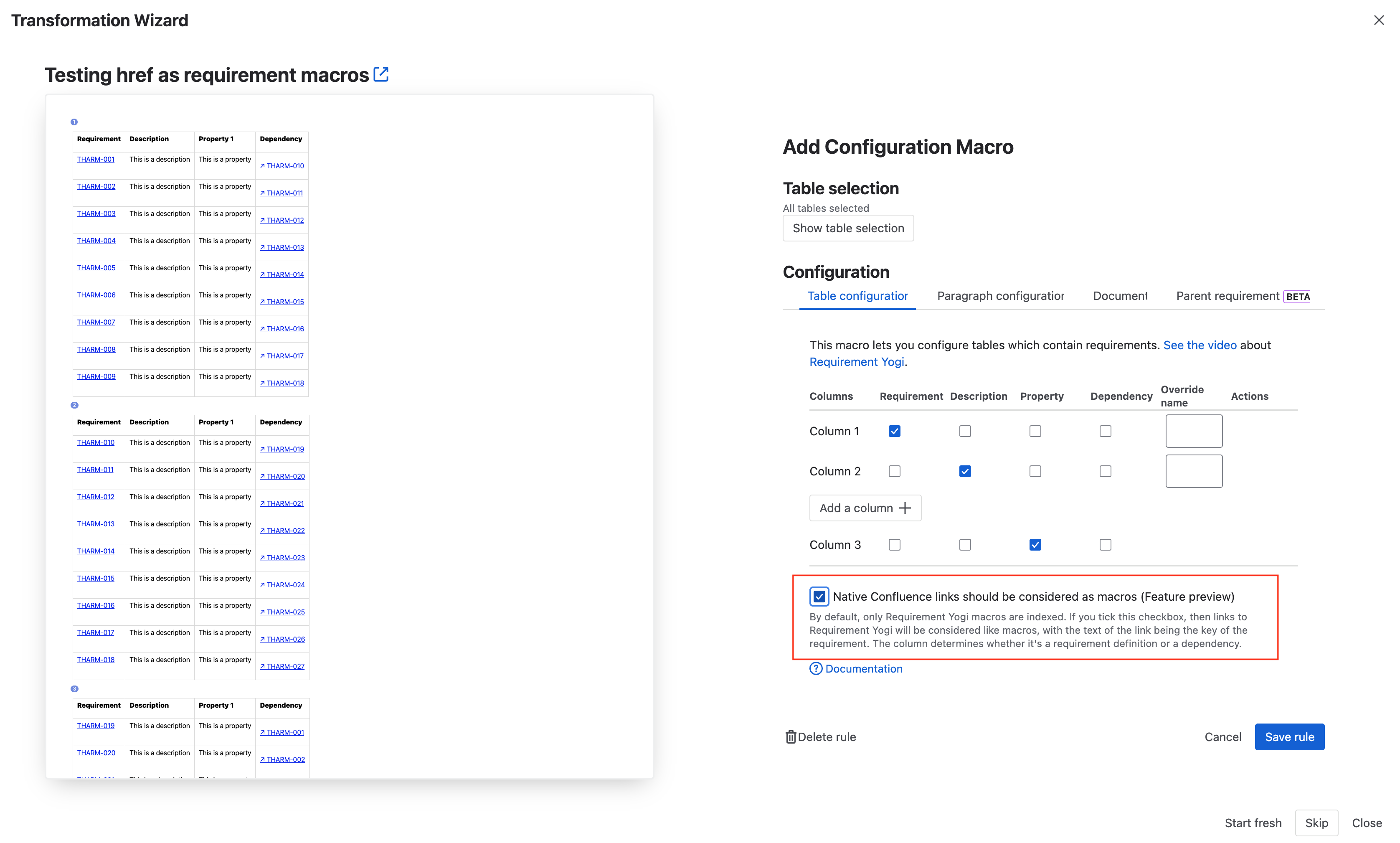
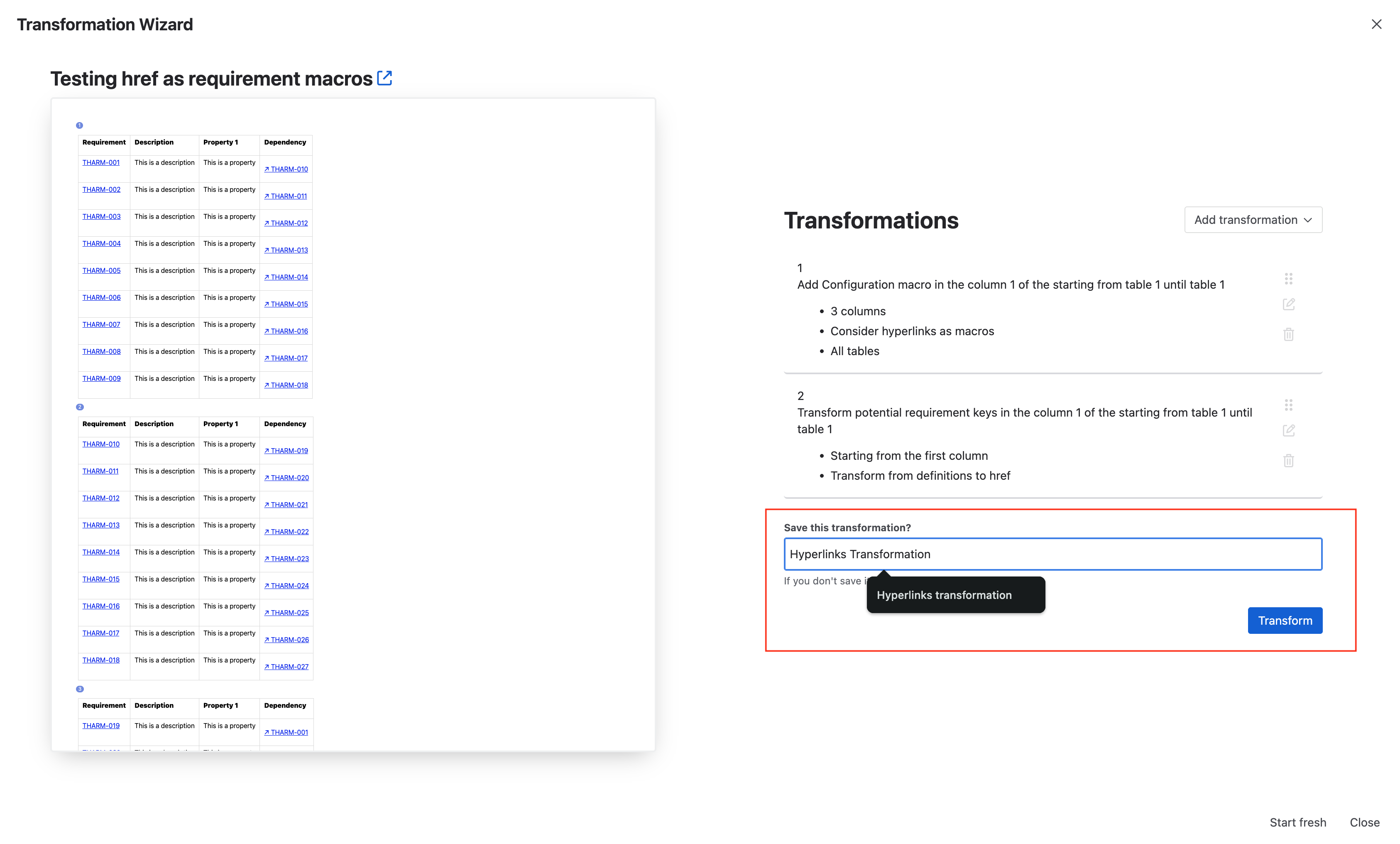
Using a configuration macro and the transformation wizard, you can transform requirement macros into Confluence native hyperlinks.
Apply the transformation manually in one page
To test the feature and the appearance we recommend you to apply the configuration on a single page first.
This will ensure that we index the correct information as your requirement id, and properties. |
|
|
|
Now your requirement IDs are hyperlinks and the performances should have improved.
Apply the transformation on multiple pages
Once you are sure this behavior solves your performance issues, you will be able to apply it on multiple pages by selecting the saved transformation in the ‘Transformations’ tab (see: Transformation wizard: Transform your pages | How to transform multiple pages in bulk )
How to revert from native Confluence hyperlinks to macros ?
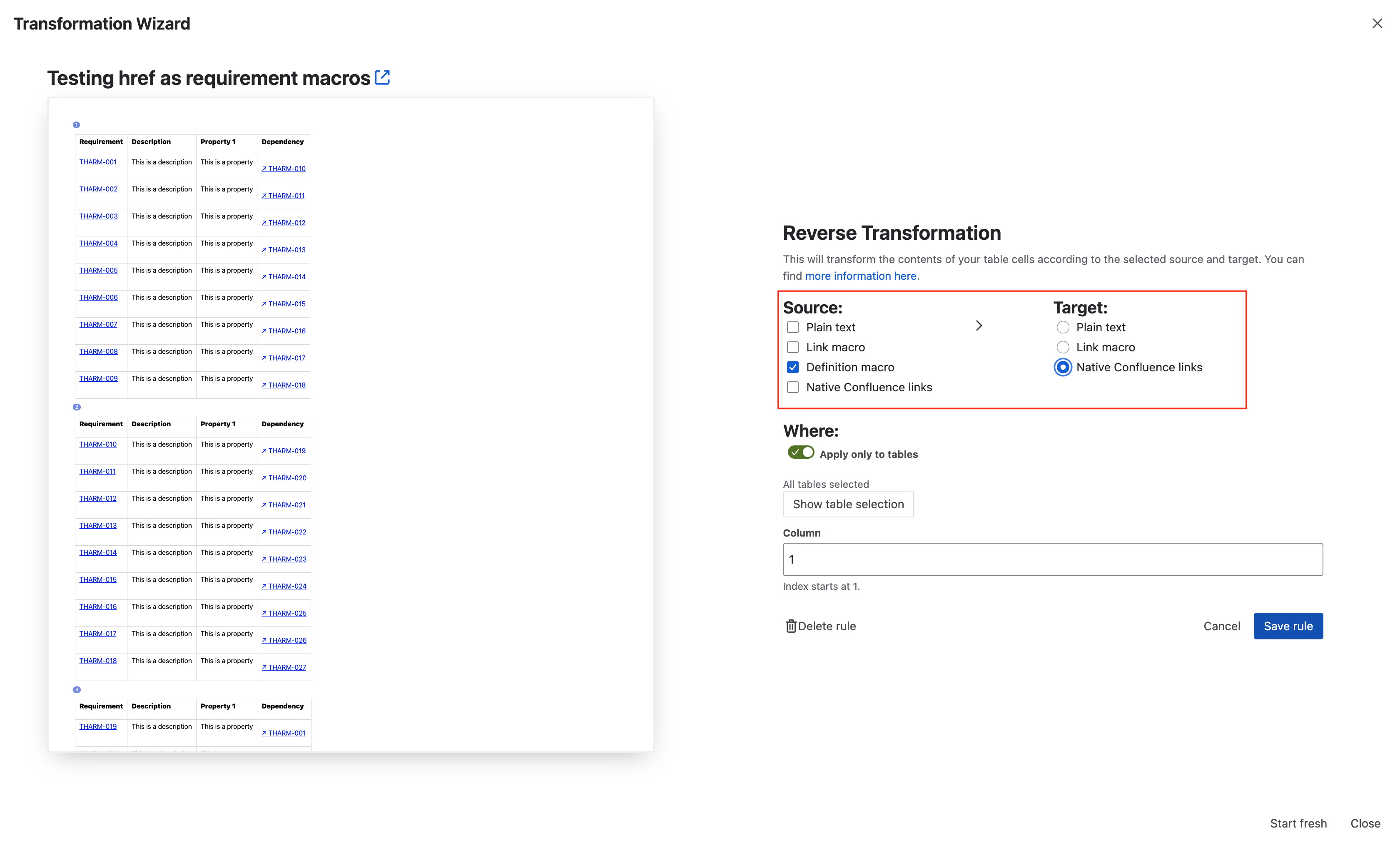
If you want to revert back to Confluence macros, you can use the same ‘Reverse transformation’ and change the ‘Source' and 'Target’:
-
Add the first rule 'Reverse transformation', put ‘Native Confluence link’ as the source, then ‘Plain text’ for target.
-
Then add another rule to ‘Transform text to key’. Apply the transformation.
FAQ and Gotchas
What is the difference between using Dynamic, static and Confluence hyperlinks ?
The difference is mostly the appearance and performance, the indexation behind is the same.
-
Dynamic macros may slow down your page, but they have a rectangle to clearly identify requirement keys.
-
Static macros look like a text link, they will load instantly.
-
Native Confluence hyperlink are simple links, will load as any other link. However, they can be harder to maintain.
Is there a difference in the indexation of regular macros and hyperlinks ?
There is a major difference in content indexation of requirements.
-
Dynamic and Static macros index exactly the same thing as before, whether they are in a table or a paragraph.
-
Hyperlinks are only indexed in tables.
Will my requirements still be visible in the Traceability, baselines and more ?
Yes. The rest of the app will function as before.
Is the Native Confluence Hyperlinks feature only for Requirement Definition macros ?
No, you can use the reverse transformation from “Requirement Links” to “Native Confluence links”. and your requirement dependencies will also be indexed.
Why can’t I see this feature ?
This is a dark feature at the moment, if you want to use it, please reach out on the support: https://support.requirementyogi.com/