
This issue is related to an internal framework migration requested by Atlassian for all marketplace apps. Please see more information here: Migration to Forge
Use case
-
When opening a page, the page loading is very slow
-
When refreshing a page, the RY macros are very slow to load.
-
There is an infinite spinner for the RY macros
Explanations
As part of our migration from Connect to Forge, our usual macros have changed, and they are now rendered through the Forge framework, as per Atlassian’s documentation.
When we were using Connect, our remote server was responsible to return html for the content of the requirement yogi macros. On Forge, the Atlassian team didn’t replicate this type of macros, and only have 'Dynamic macros' that are rendered via a system of <iframes>. Unfortunately, every iframe instance is isolated from the rest of the page, which requires many resources from your internet browser and can even crash the page.
After further discussions with the Atlassian team, they are starting to reintegrate ‘Static macros’ into Forge. See: https://ecosystem.atlassian.net/browse/FRGE-1495 and RFC: https://community.developer.atlassian.com/t/rfc-136-forge-staticview-macro-for-confluence-connect-migration-feedback/100892/4 .
In Forge, static macros are rendered as if they were part of the original page: The content of the macro is stored as “ATLAS_DOC_FORMAT” in a page custom-content. If no custom content is found for the specific macro, the macro is then rendered as usual : as a dynamic macro in an iframe.
What to expect
|
Dynamic macros in Forge |
Static macros in Forge |
|---|---|
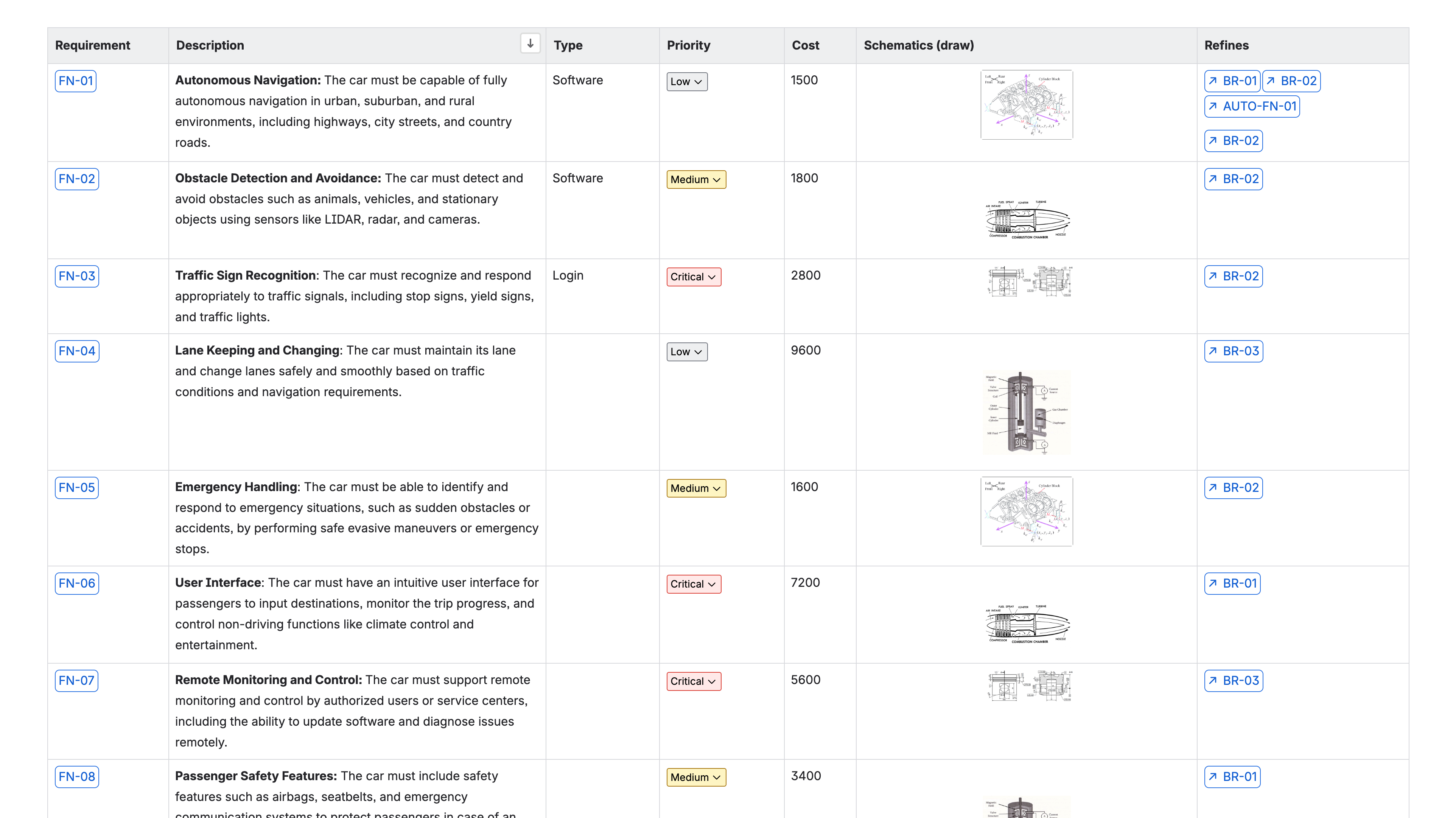
|
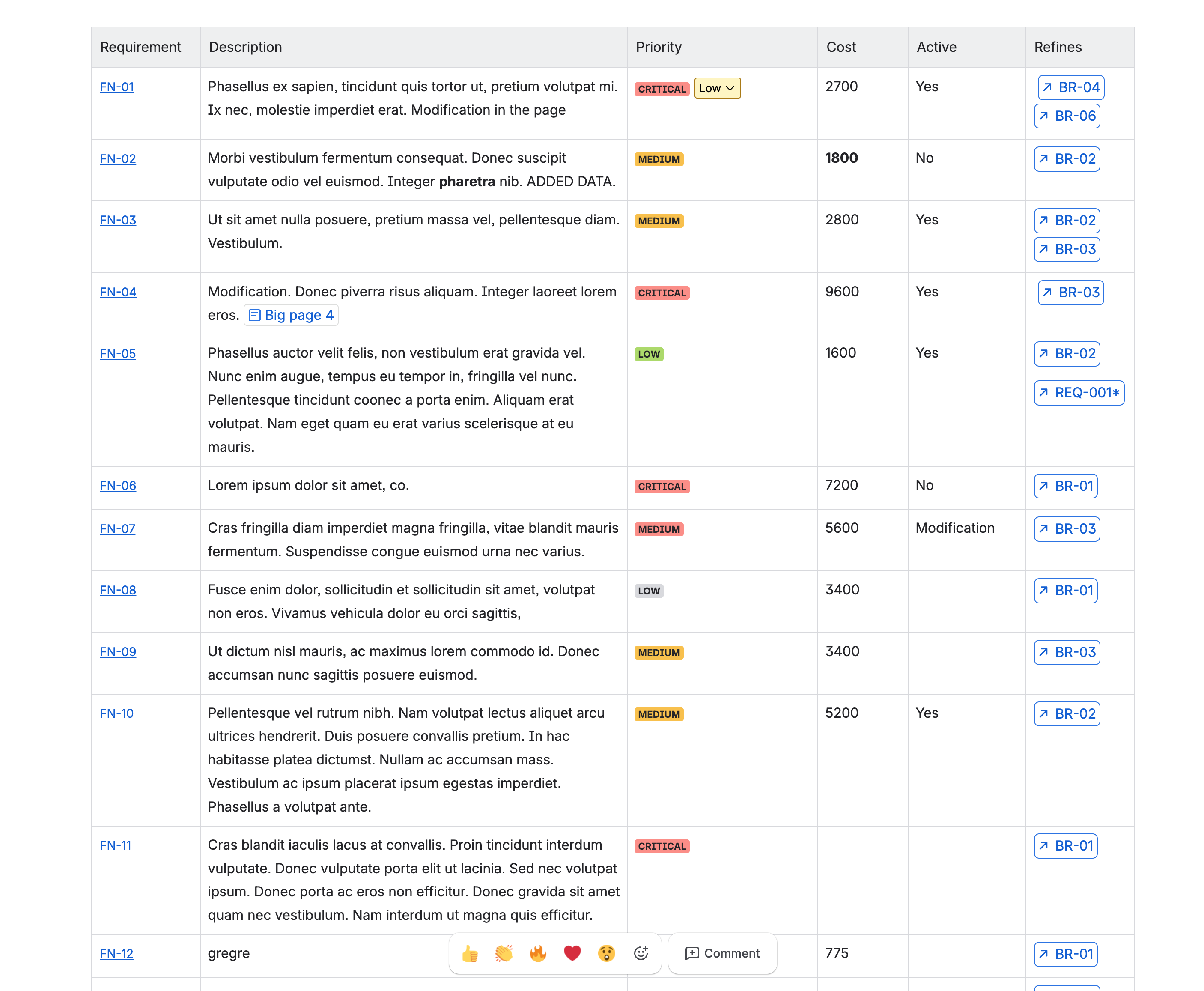
|
|
You can see the definition macros here (on the left) have a rectangle around them. |
You can see now that they have been transformed, the rectangle no longer exists and the macro looks like a hyperlink. |
How to enable static macros for your instance
If you are seeing drastically slow performance with your pages and requirement yogi macros, Atlassian has worked on a specific integration for us and our customers.
For now, the feature is still behind a feature flag by the Atlassian team, and slowly being brought to all instances. If you want to benefit from this feature, we encourage you to raise a support ticket with the Atlassian team, or raise a support ticket with us so we can share your instance information with Atlassian.
1. Make sure you are on the latest version of the app ( over 5.1.0 )
This feature requires a manual update from your side, so you need to check you are on the latest version by going into your Confluence administration > Manage Apps > Connected apps > Requirement Yogi for Confluence.
2. Activate the feature in the Champion Center
This ‘Static macro’ feature is not activated by default on your instance as this will change the aspect of your pages. To activate this feature, you will need to go in the Champion Center > Configuration and activate the feature.
3. Now, when you stumble on a slow loading page, simply update it
When you activate the feature, your pages will not be transformed by default. The custom content for your macros still needs to be stored, which will happen naturally as you work in Confluence, or as you update the page, or reindex it and refresh the page to see the change after a few minutes.
Transforming macros from dynamic to static can be a thing that your users can do at anytime, when they stumble upon the issue, and doesn’t affect the content of your requirements, only the way they are displayed in Confluence.
-
If you see a page with the spinner for macros, update the page with the native Confluence edit / update button.
Otherwise, it also works if you click on the Yogi byline at the top of your page > Reindex > Wait for success and refresh.
Transform link macros to static
Existing Requirement link macros will have to be modified individually to be transformed into ‘Static macros’. You can use the new transformation to ‘Convert link macros to static’.
-
If you are using the ‘Advanced display’ feature in your
requirement linksmacros will remain dynamically rendered.
Limitations and FAQ
Which macros are impacted ?
-
The
Requirement Definitionmacros are automatically transformed to static on indexing. -
“Old”
Requirement linkmacros will have to be modified individually before they are transformed into ‘Static macros’. Any newly addedRequirement linkmacro will be a static macro by default. You can also use the new transformation to ‘Convert link macros to static’.-
If you are using the ‘Advanced display’ feature in your
requirement linksmacros will remain dynamically rendered.
-
What happens if I disable this feature ?
Newly inserted macros will revert to being dynamically rendered. Macros statically rendered will still have the custom content stored and will remain statically rendered until you delete the associated custom-content. Currently, the only way to delete the custom content is with the Confluence REST api, we plan to add a button to make it easier to remove custom-content in bulk.
How come all my macros in the page are not ‘Static’ ?
This is a limitation by Atlassian team who implemented a hard limit to the number of static macros per page. We expect this number to increase and perhaps limitless the more the feature is implemented officially to all instances.
Is there a difference in indexation of the static vs dynamic macro ?
Whether you are using static or dynamic macros, the use has not changed. Your requirements will remain indexed no matter their format, and will continue to index the content in Confluence pages.
You will still be able to see them in the search, traceability, baselines, etc.
If you have any questions
Please a support ticket with our team: https://support.requirementyogi.com/ .