
NEW Dashboards BETA
We are starting to release the new ‘Dashboard’ tab that will help you to get insights on requirements.
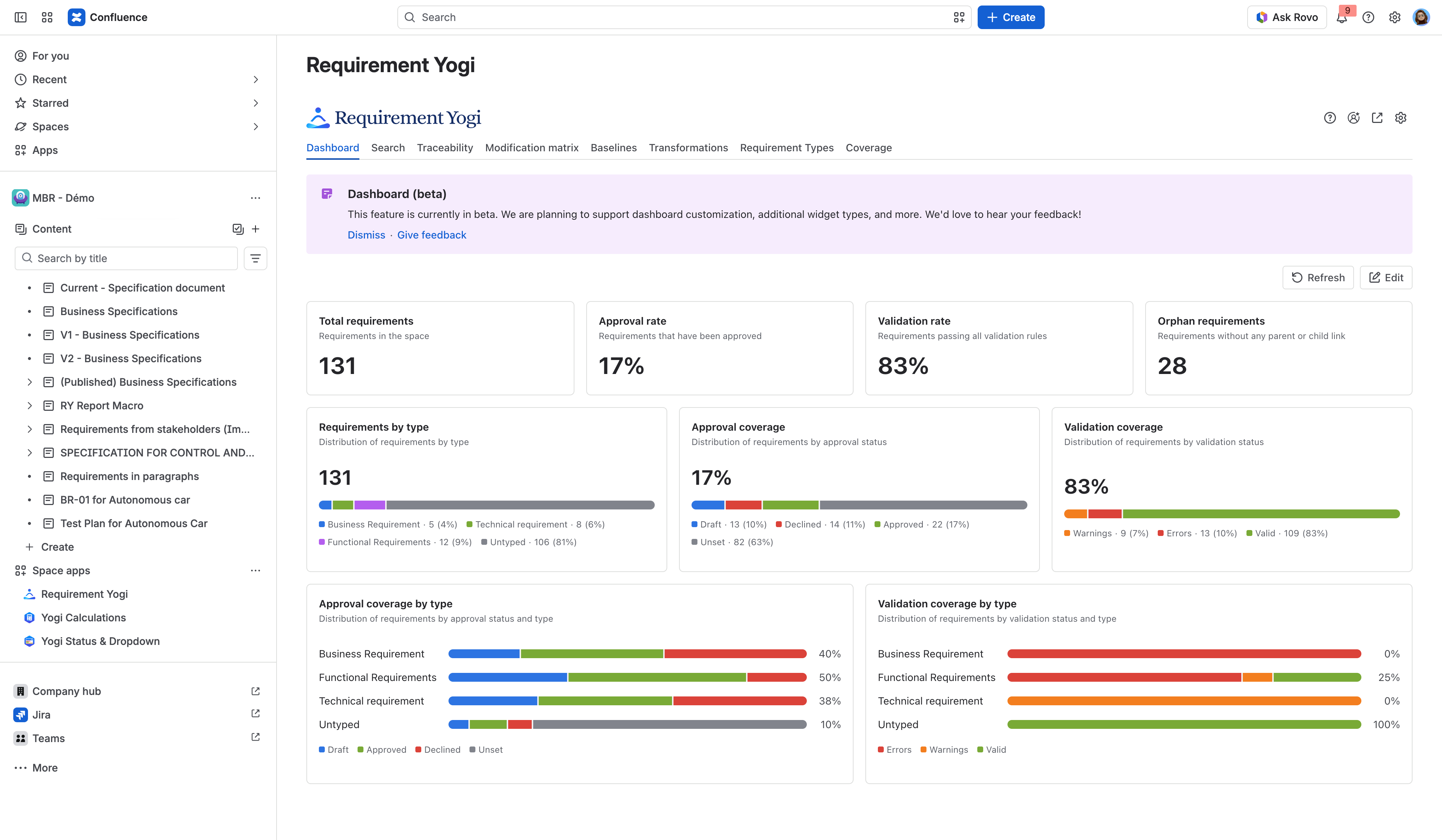
-
We are releasing updates step after step to allow you to edit dashboards, configure them per baseline and more: Dashboards .
If you have specific queries, or would like to see new charts type, please feel free to reach out: https://support.requirementyogi.com/ .
NEW Jira bulk linking
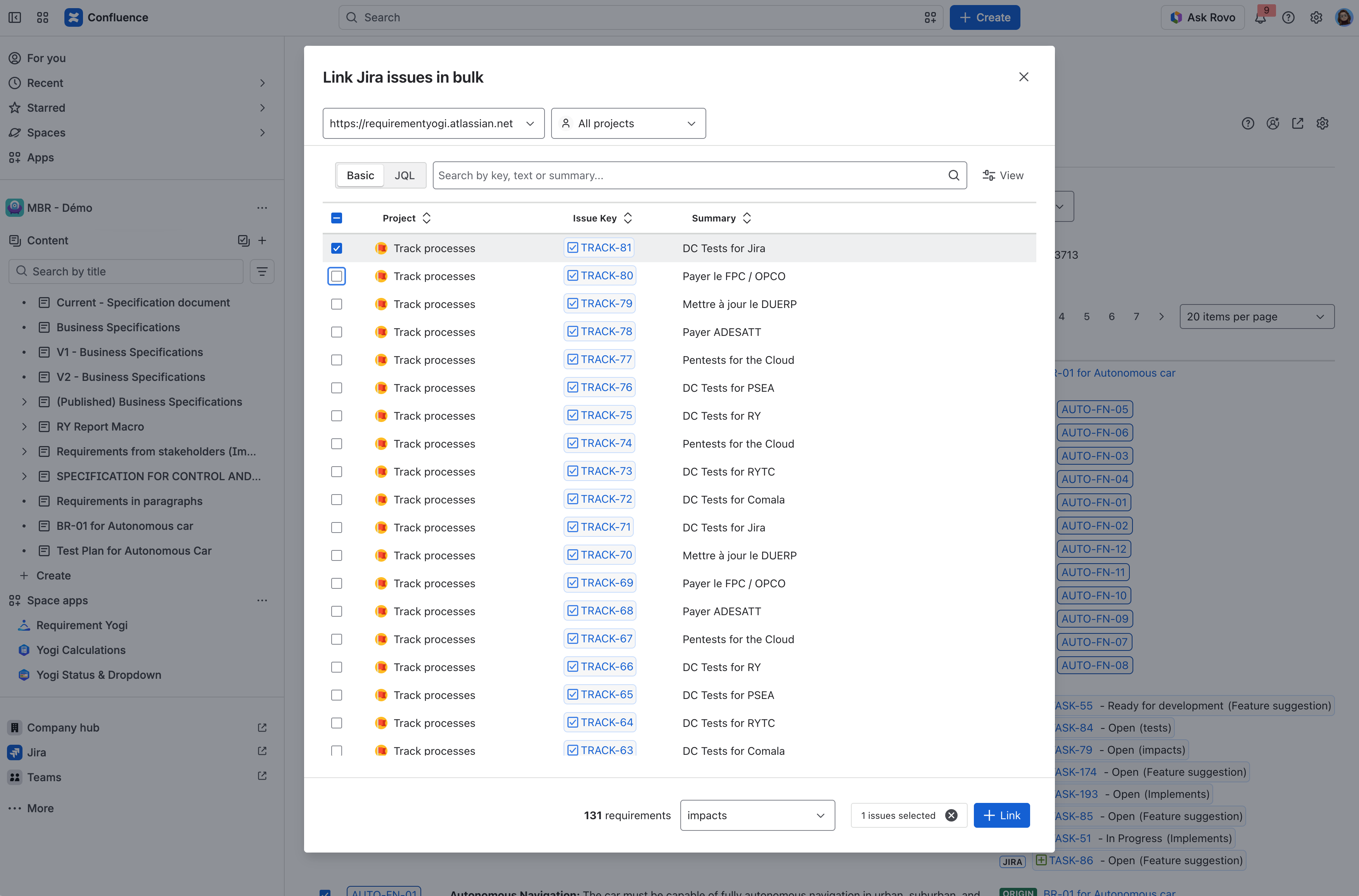
We are improving our management of bulk Jira items with requirements. You can already start to create links between requirements in bulk.
-
In the requirement detail, click on ‘Link’ and select multiple Jira issues to link them to the requirement.
-
In the search tab, select multiple requirements, and click on ‘Link’. You will then be able to create multiple links between the requirements and the selected Jira issues.
NEW Add suspects to requirements
If you want to put a flag on requirements when it has been modified, or if you want to know when dependencies have been modified and see impacted changes, then the ‘Suspects’ feature is for you.
-
In your Requirement Type configuration, enable the Suspects
-
Based on the external property ‘Suspects’, when you make an update on a requirement, this external property will be modified.
Please visit the documentation for more information: Suspects .
Improvements We now support data residency migration
We now support automatic migration between regions EU and US. You can follow Atlassian’s guide to move the location of your instance:https://support.atlassian.com/security-and-access-policies/docs/move-data-to-another-location/.
Here is more information: Data residency | Realm migration.
Minor improvements
Traceability Matrix
-
In the Traceability Matrix, you can now add all external properties as one or separated columns with a single click.
-
Click on the cog in the column header > External Properties > All External properties.
-
-
You can also do that with the dependencies.
Modification Matrix
-
UX improvements