
The migration of baselines is not available through CCMA, but we’ve built a solution that will let you export all baselines on your Server/Data Center instance, and import them back to your Cloud instance.
Summary of the process
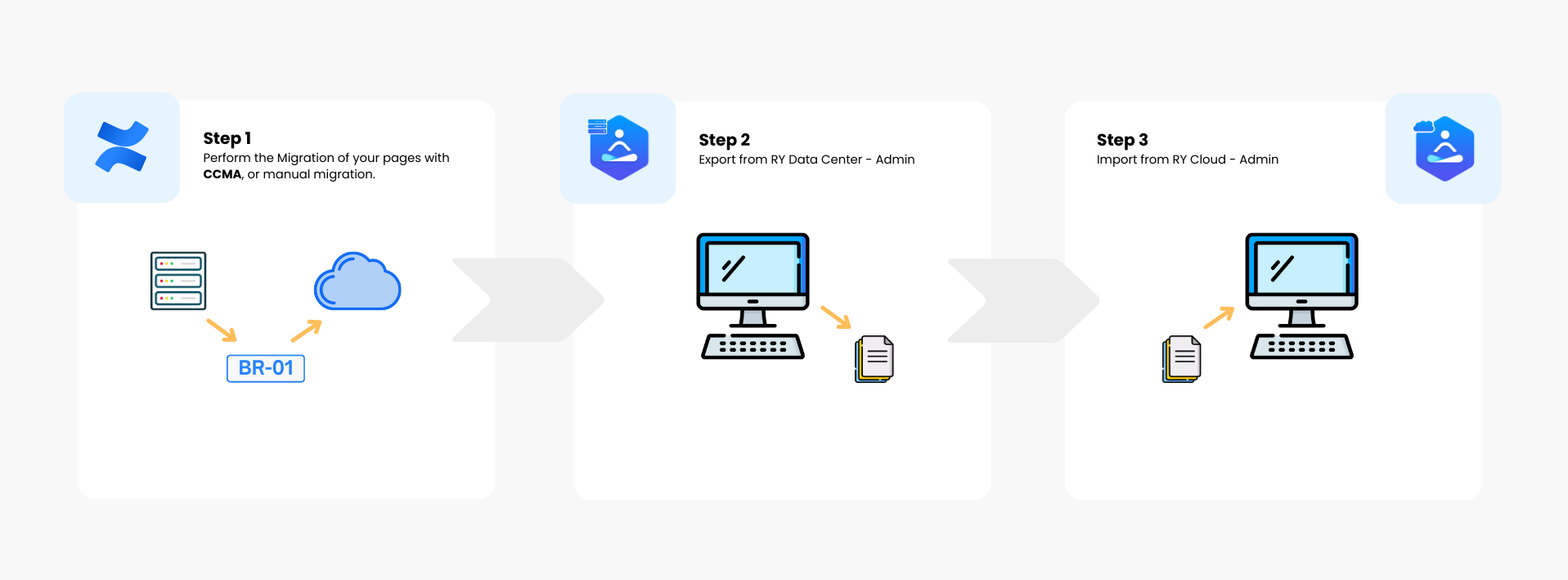
Before you migrate your Baselines, make sure you have migrated your spaces and requirements using the manual migration, or CCMA. Please see documentation here: Migration to the Cloud . Once that is done:
-
You will need to export baselines on you Server / Data Center instance
-
Then reimport them in the Cloud.
Export baselines on Server / Data Center
|

|
|
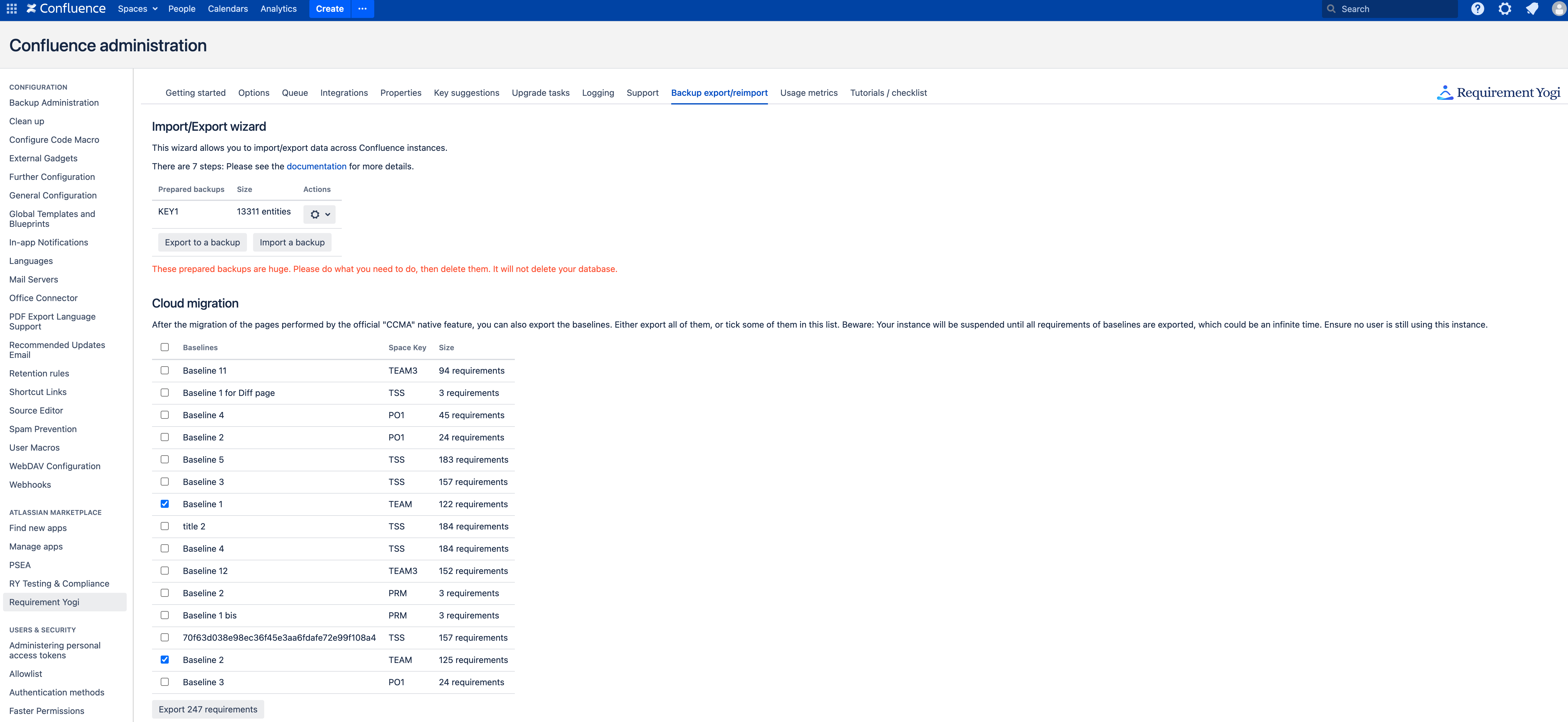
See the second part of the screen, there is the list of baselines made in all your Confluence spaces.
|
|
Import baselines on the Cloud
|
|
|
|
Limitations to the baselines imports
-
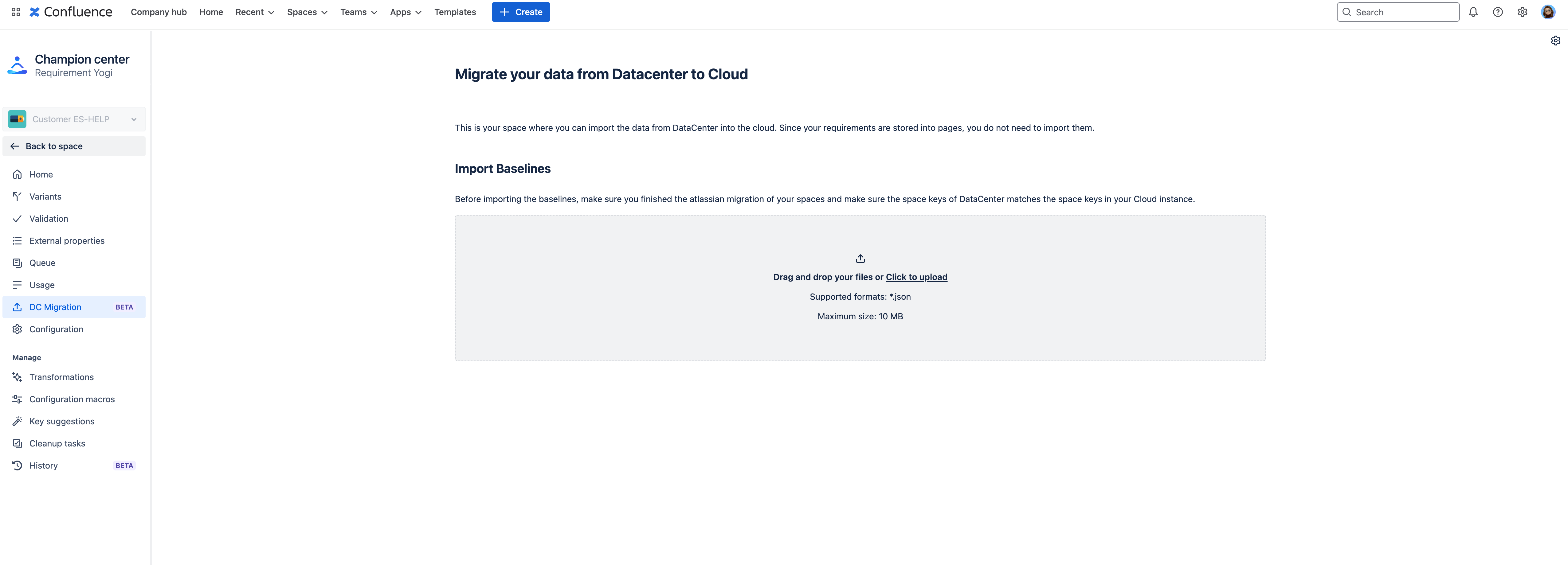
Imported baselines are matched with the space key, thus your spaces on the Cloud need to have the same space key as the one on DC.
-
If you didn’t migrate all your DC spaces to the Cloud yet, please make sure your import contains baselines for migrated spaces only.
-
-
Size Limits / Time Out error:
-
When importing your
.jsonfile to the Cloud, it is possible that you receive a timeout error after 25 seconds. This timeout is enforced by Atlassian. -
Imports are also limited to files of 500 MB.
-
To workaround those two limits you can export your baselines through several batches, and then do multiple imports.
-
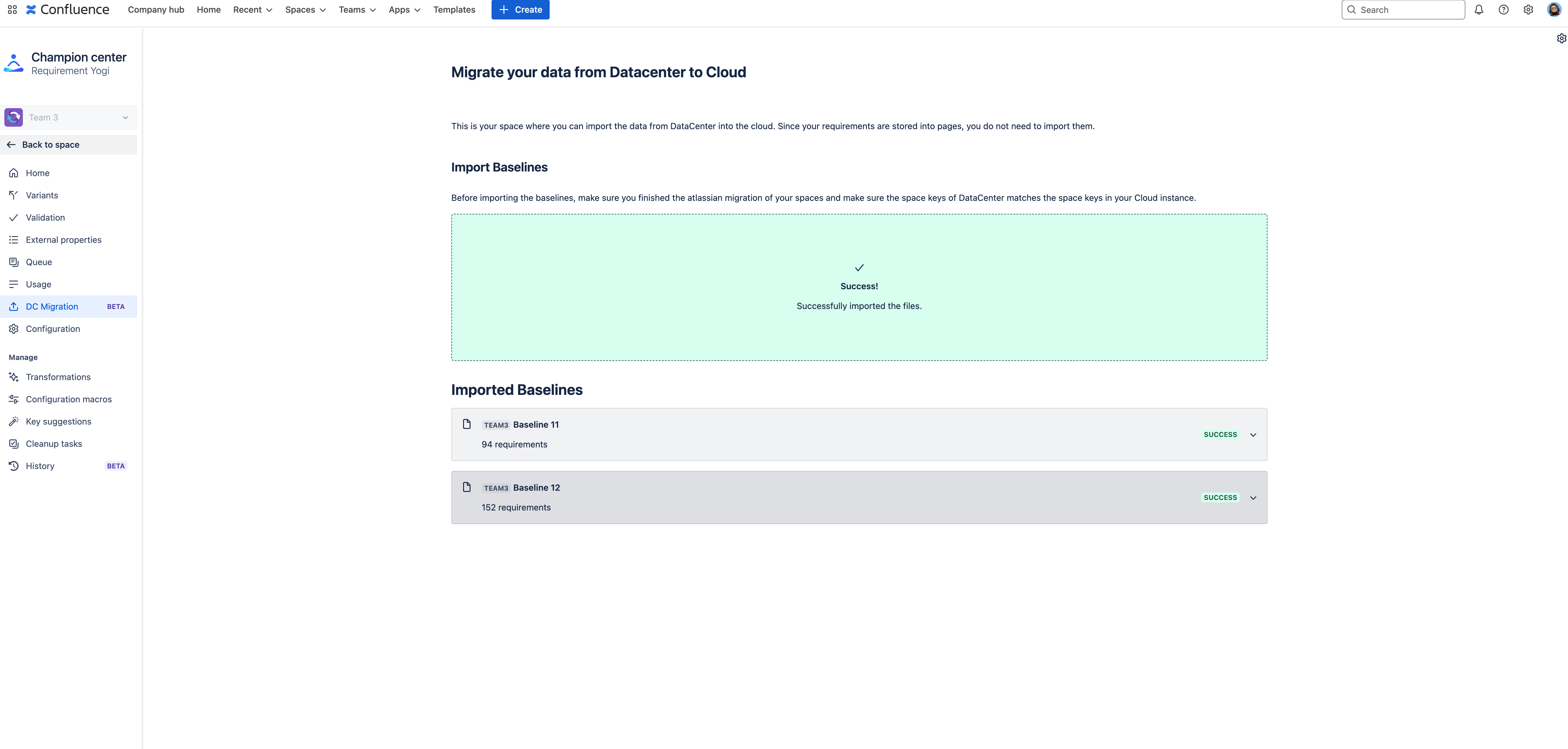
How to see migrated baselines on the Cloud?
|
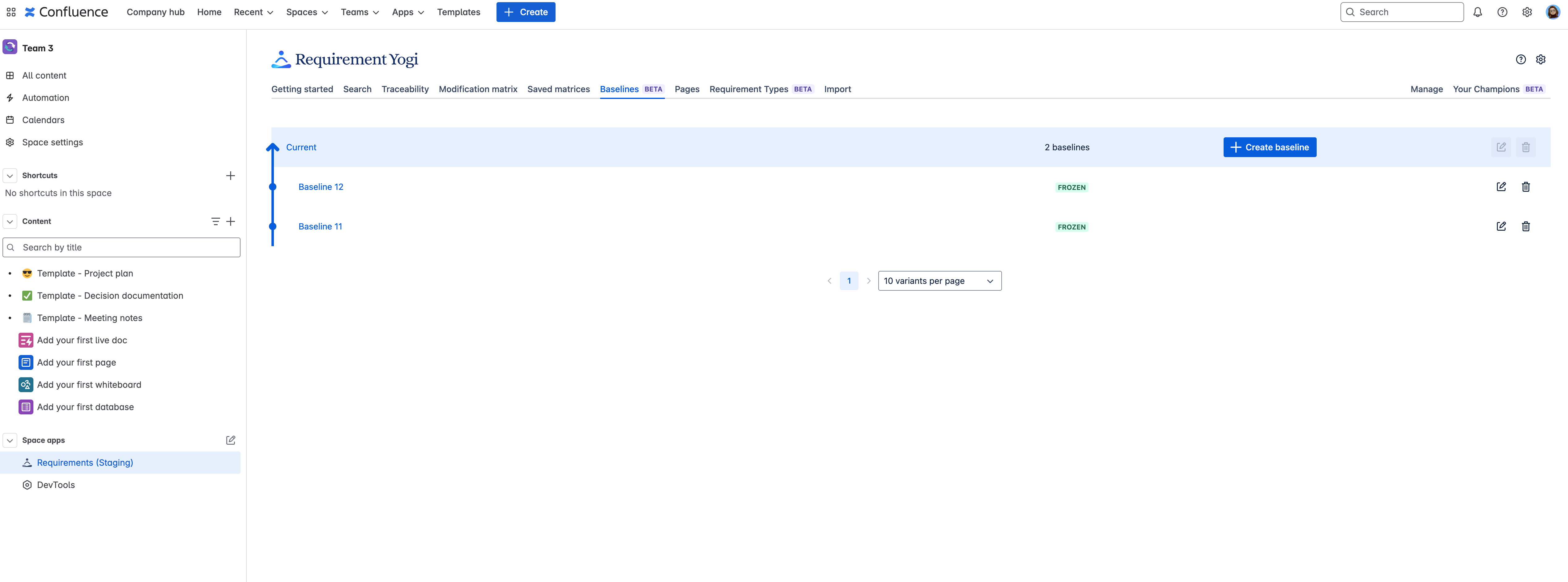
|
|
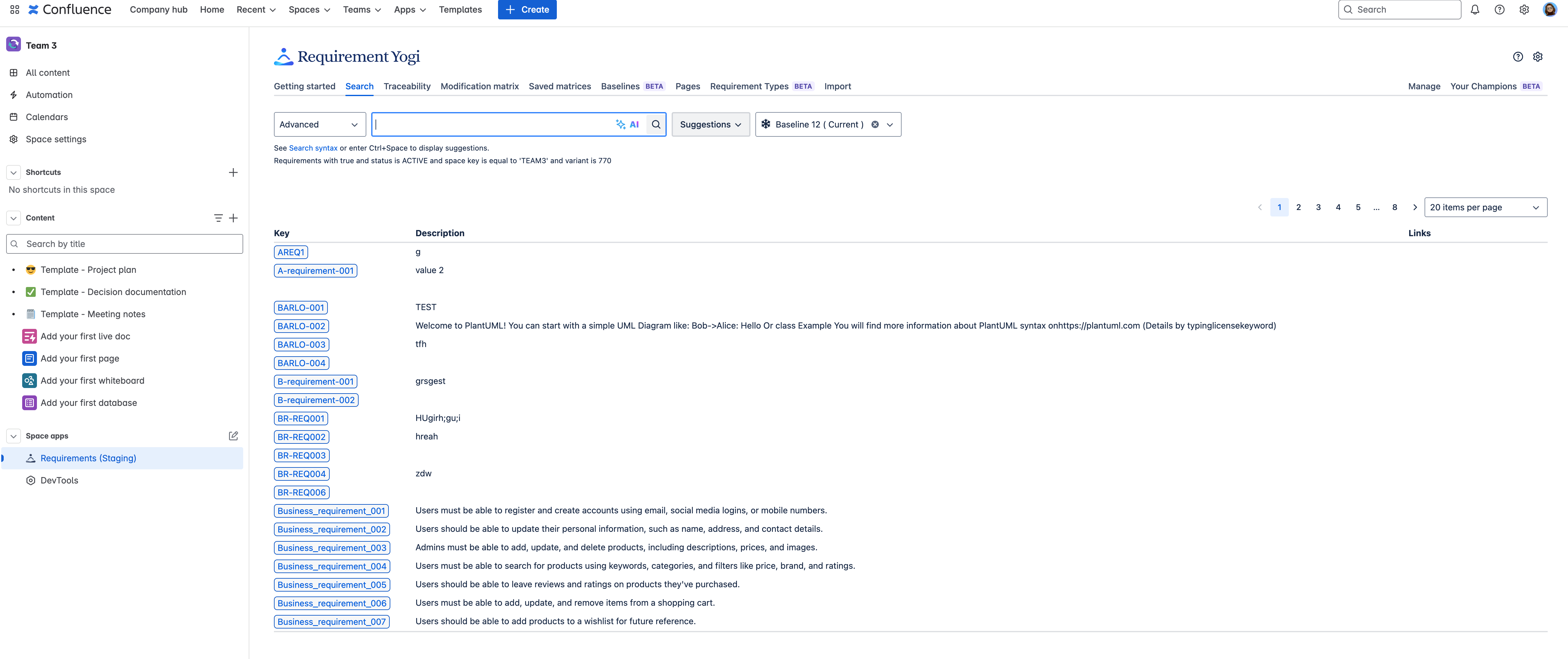
|
What about the requirement-baseline macro ?
On DC, if you were using the template ‘Requirement Yogi - Baselines’, each page had a macro requirement-baseline at the top. This macro does not exist on the Cloud but we transform it into a hyperlink to the search during the CCMA migration / Transformation ‘Migrate server to Cloud’.
If you don’t know how baselines work on the Cloud, please check out their documentation: Baselines .
Frequently Asked Questions
What is the order to migrate my data using CCMA and then importing Baselines?
-
Before importing the baselines, make sure the space keys of Data Center matches the space keys in your Cloud instance. We recommend to finish the CCMA before importing your Baselines.