
Use case
Depending on the structure of your requirement pages, you may organize your requirements with a first parent requirement at the top, and following tables will actually refine that parent in tables below, with additional requirements.
Giving you a page structure looking like this:
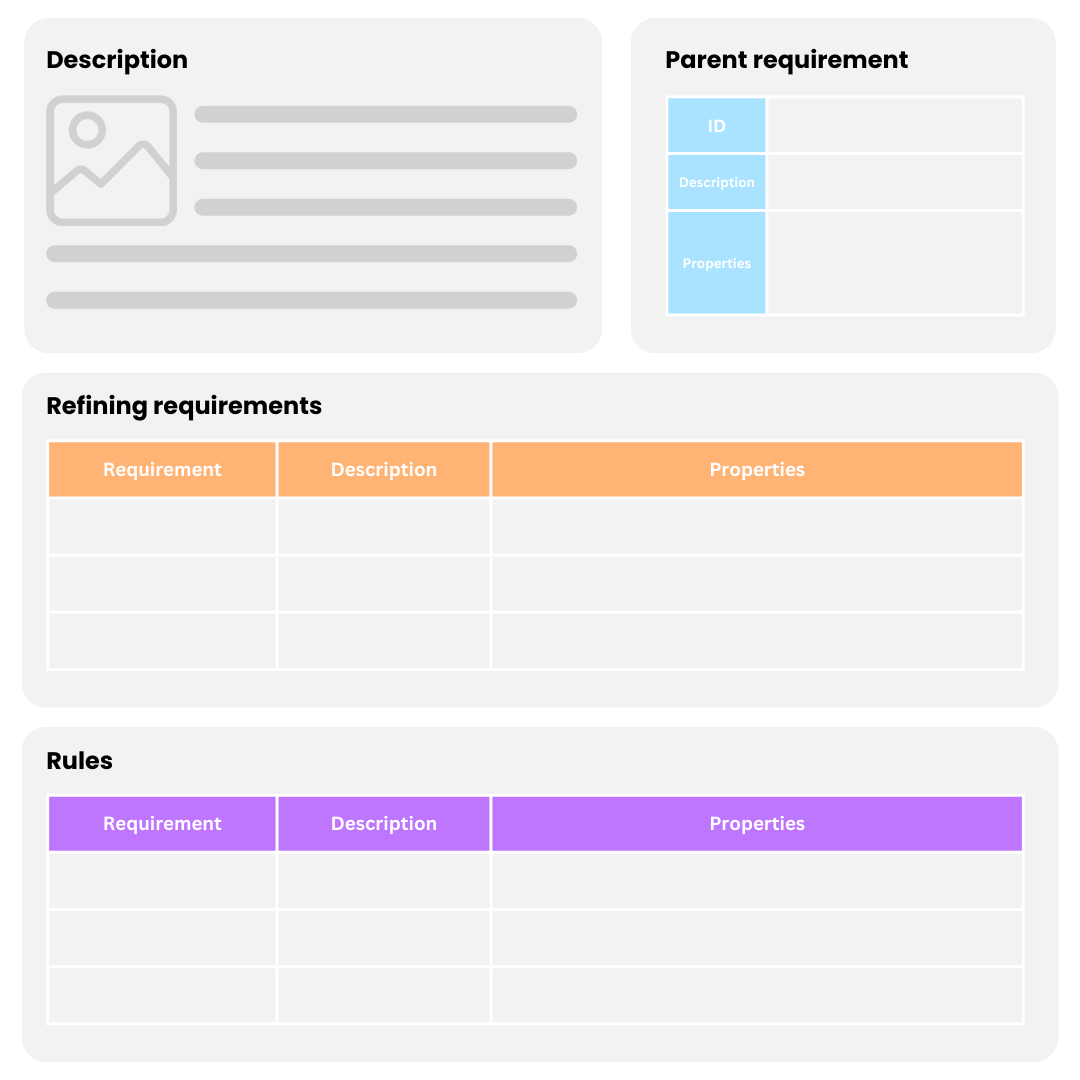
Using this structure, you will want all following requirements to become automatic dependencies to the parent.
How does it work ?
-
Put the Configuration macro at the top of your page, or the table of your desired children requirements.
-
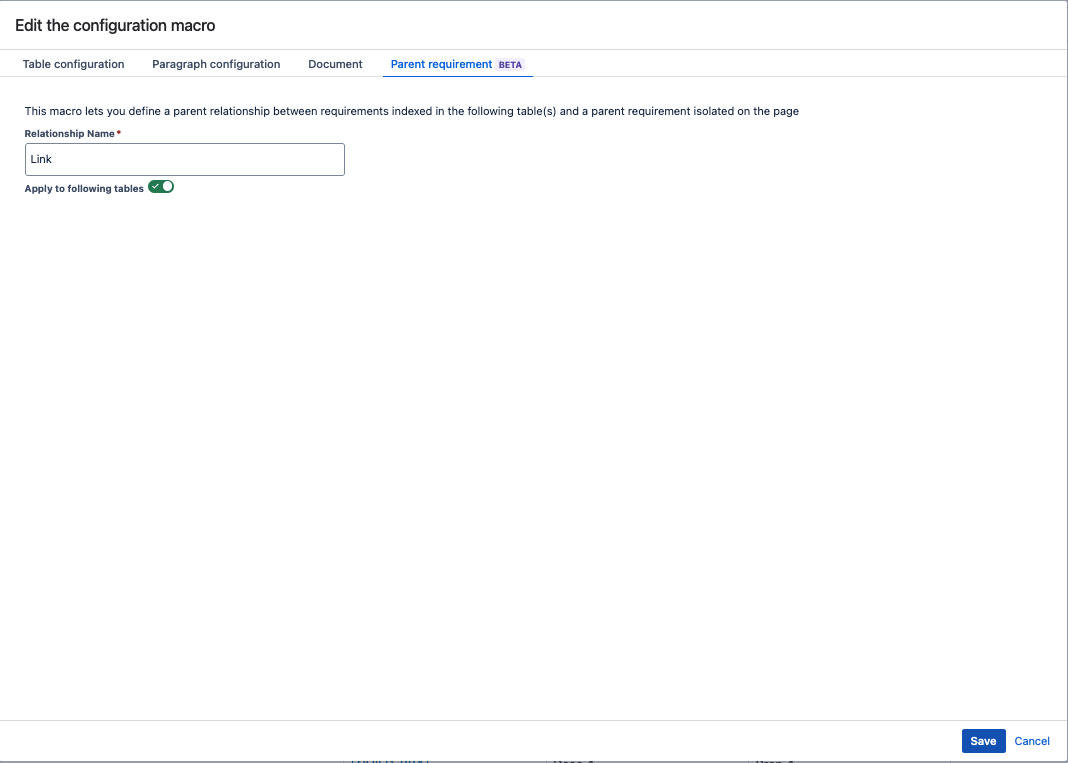
Go to the Parent Configuration, and choose the relationship name you desire.
-
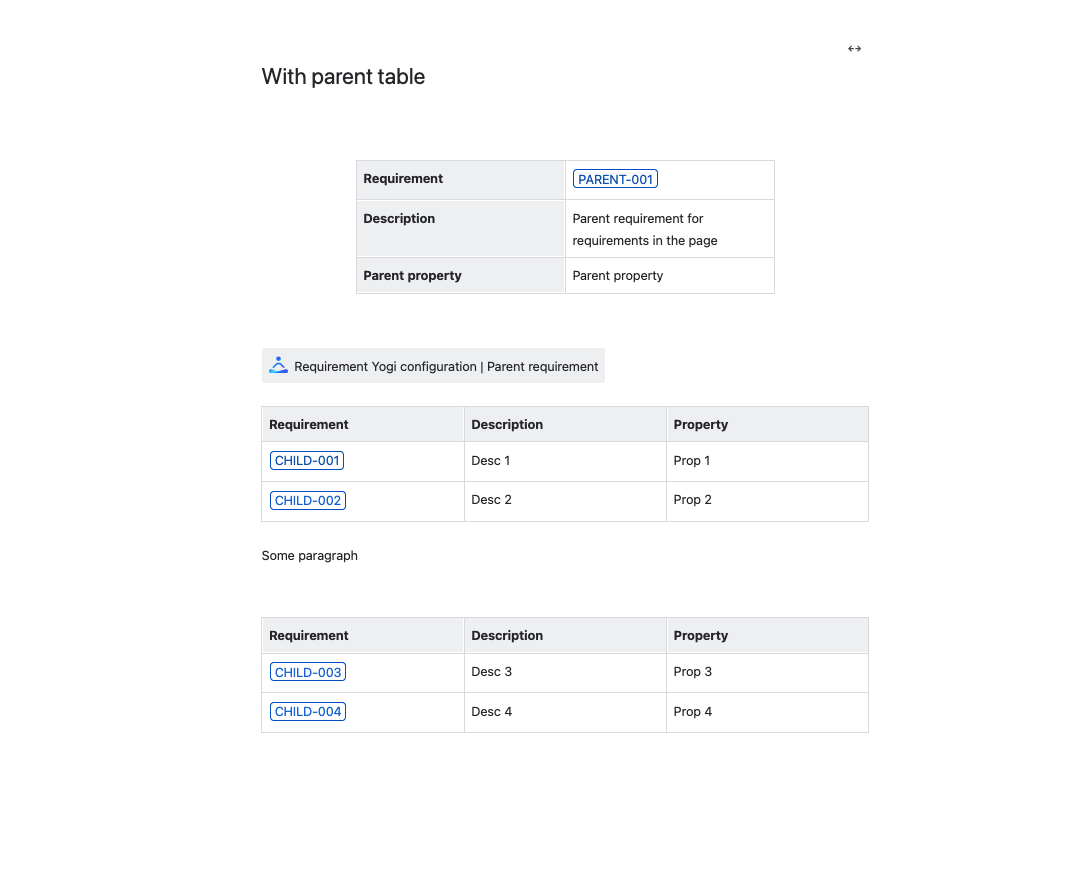
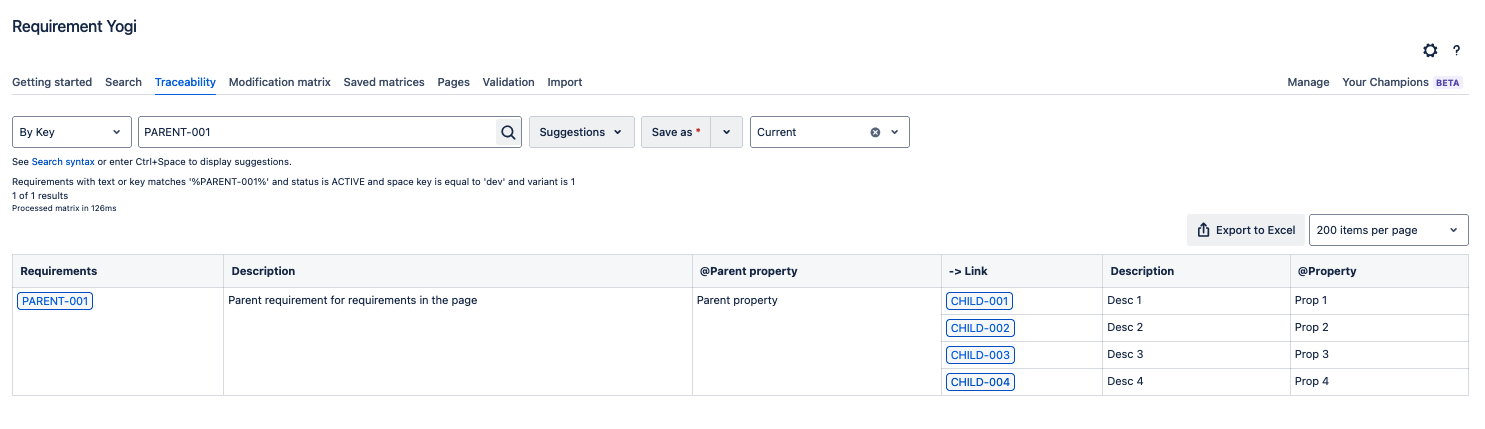
We take the first requirement of the page as the parent, when there is only one requirement defined in the table (ex: a vertical table, or a paragraph), we’ll index it as a parent of all following requirements.
|
What your document looks like: |
What we index: |
|---|---|
|
|
|
More precisions
-
If you want to apply two configurations in your page, you will have to put two configuration macros:
-
If you want to apply the parent configuration, but still apply a table configuration to tables below, you will have to put two macros.
-
This will allow you to use several table configurations in your page, while still putting a single parent configuration at the top.
-
-
Your first requirement does not have to be inside a table to be indexed as a parent, it can be a simple macro in a paragraph or title. However, the requirements indexed as children will only be the ones defined in tables.