
If your requirements are in tables, it is absolutely not mandatory. The Requirement Yogi configuration macro is useful to change the way your requirements are indexed and override column titles, or choose to put the 3rd column as the description instead of the 2nd.
When you define requirements in table, by default, the requirement key will be in the first column, with a description in the second column, and properties and dependencies in the following columns.
It also works for vertical tables: rows will be identified as columns. (Ex: 1st row in your vertical table will be mapped as the 1st column in the Configuration macro, 2nd row to the 2nd column, and so on.).
|
This table: |
Gets indexed as: |
|---|---|
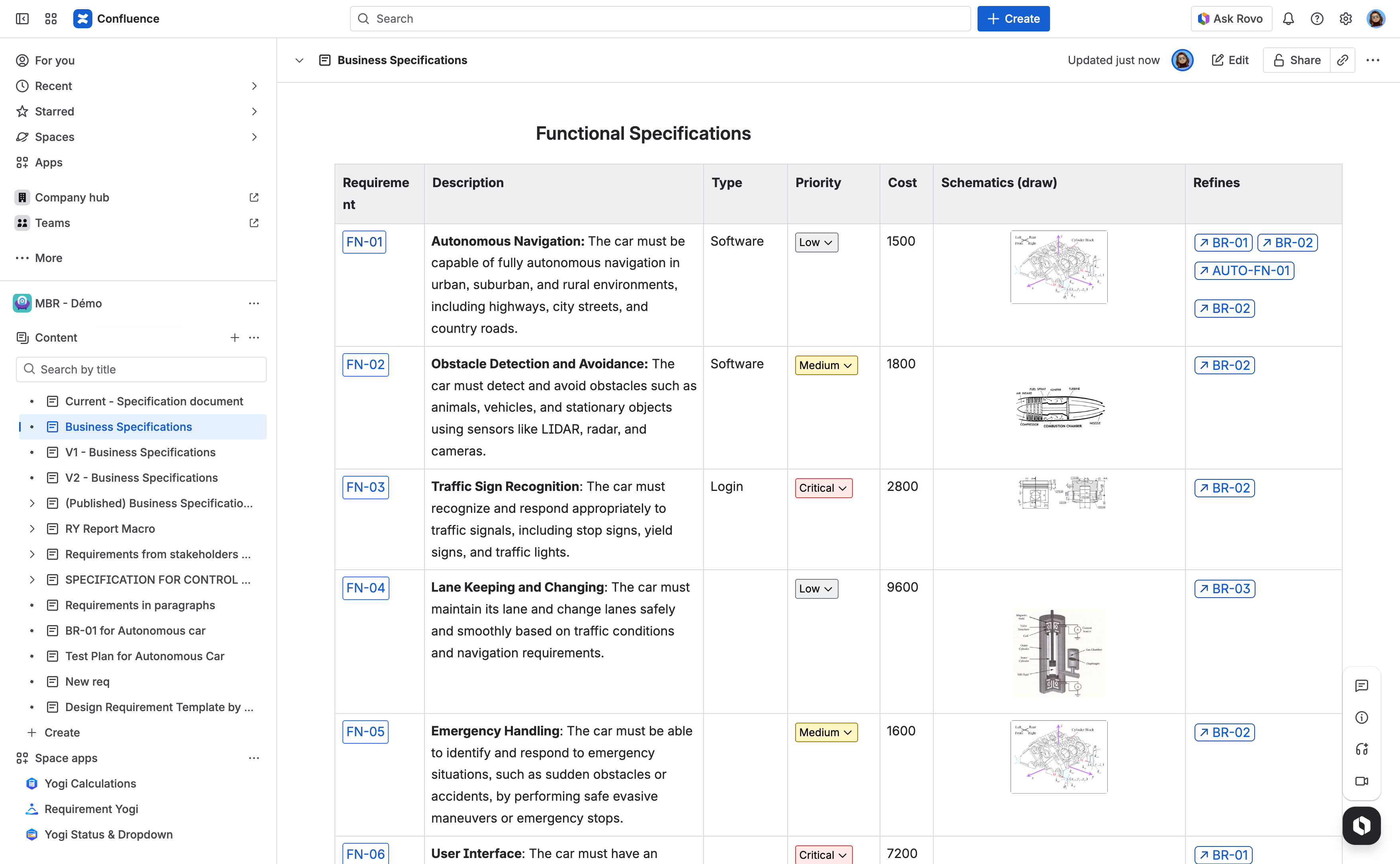
|
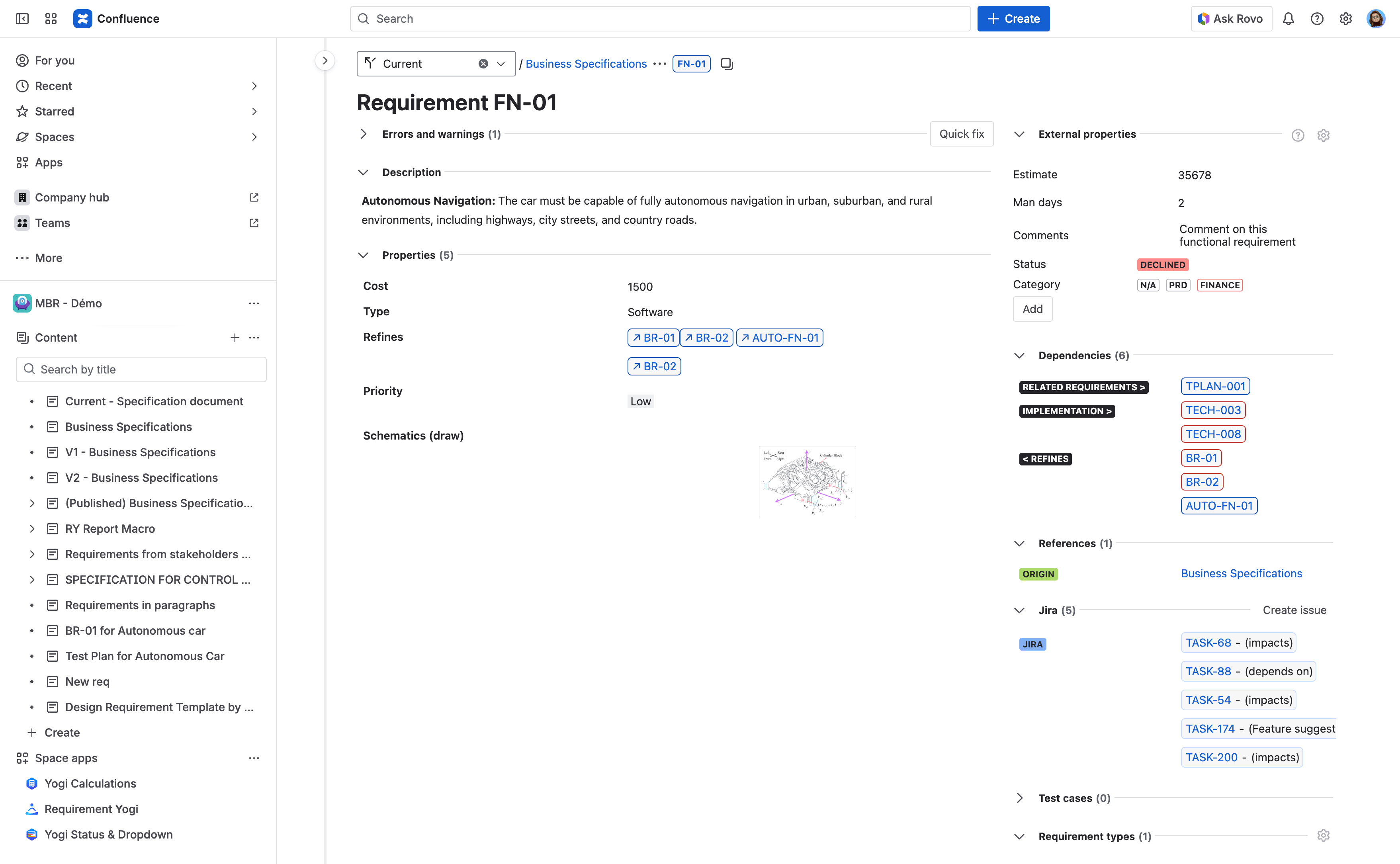
|
|
Here is the default configuration for requirements in tables: With the configuration macro, you can:
|
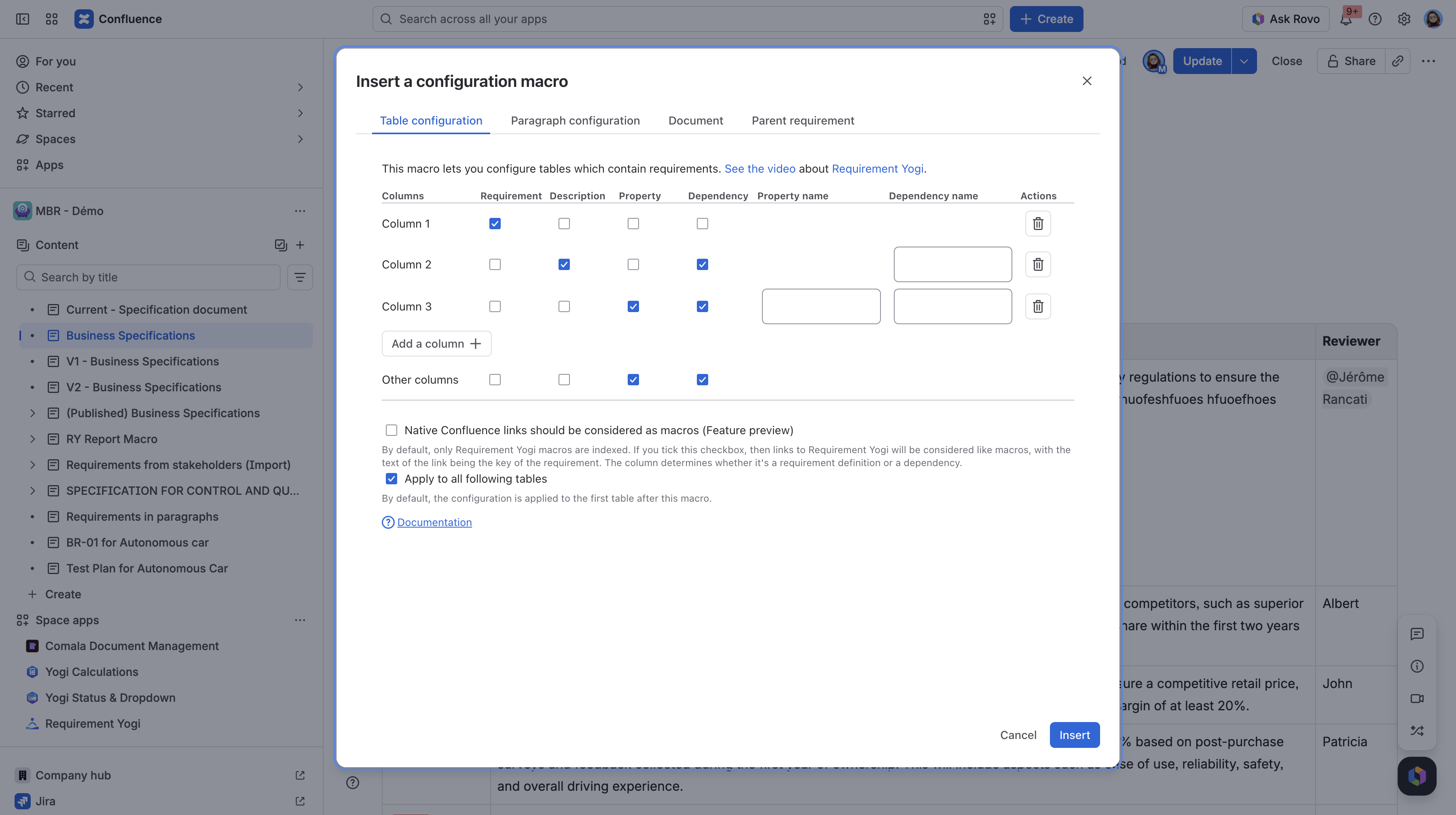
|
This configuration is not global, you need to add the macro to every Confluence page with requirements. Note that you can use the transformation wizard to apply the configuration to multiple pages at once (see: Transformation wizard: Transform your pages | How to transform multiple pages in bulk ) |
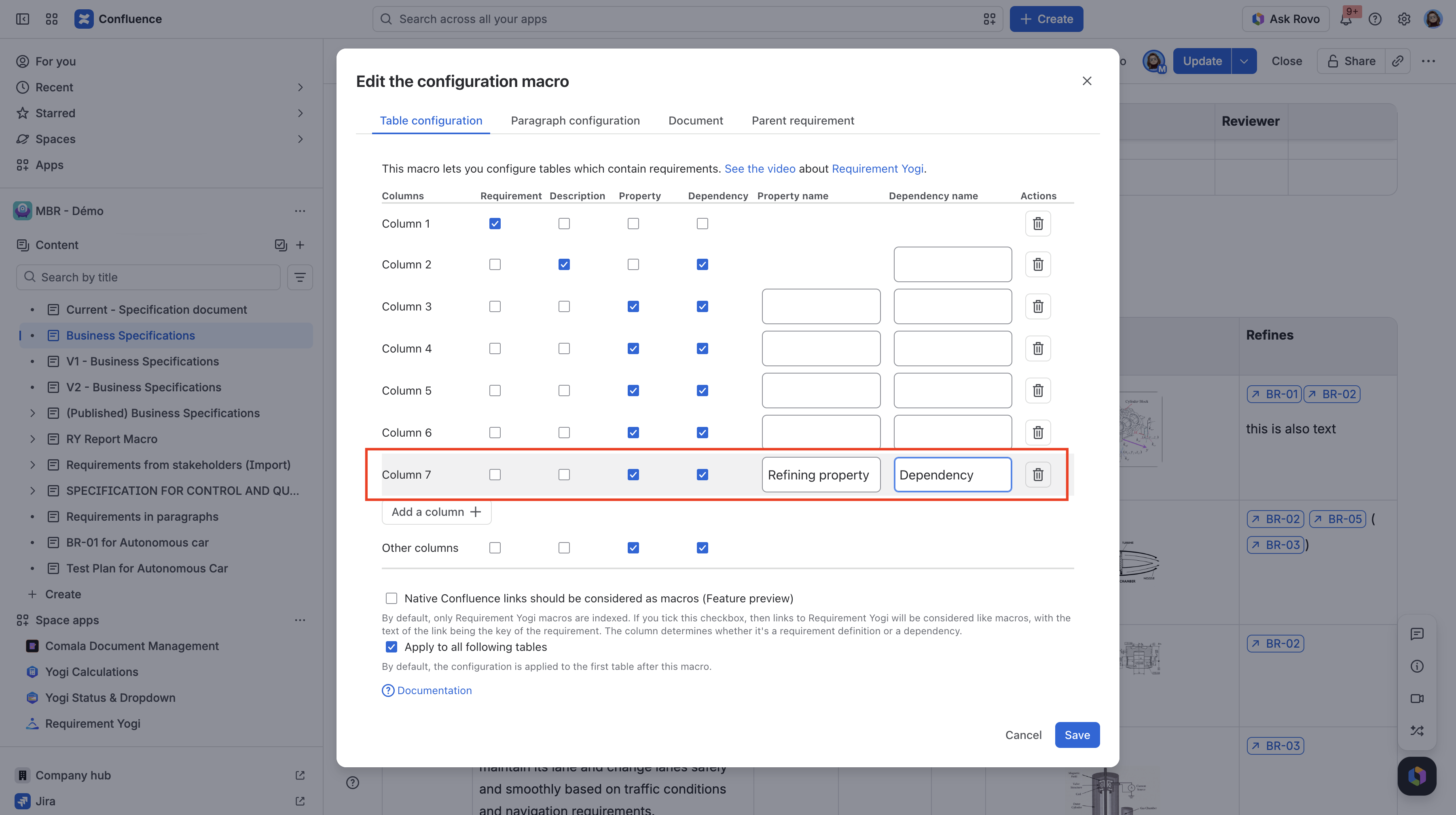
|
|
After inserting the macro and publishing the edited Confluence page, the FN-01 requirement is now indexed with a different changed property and dependency name than in the Confluence table. |
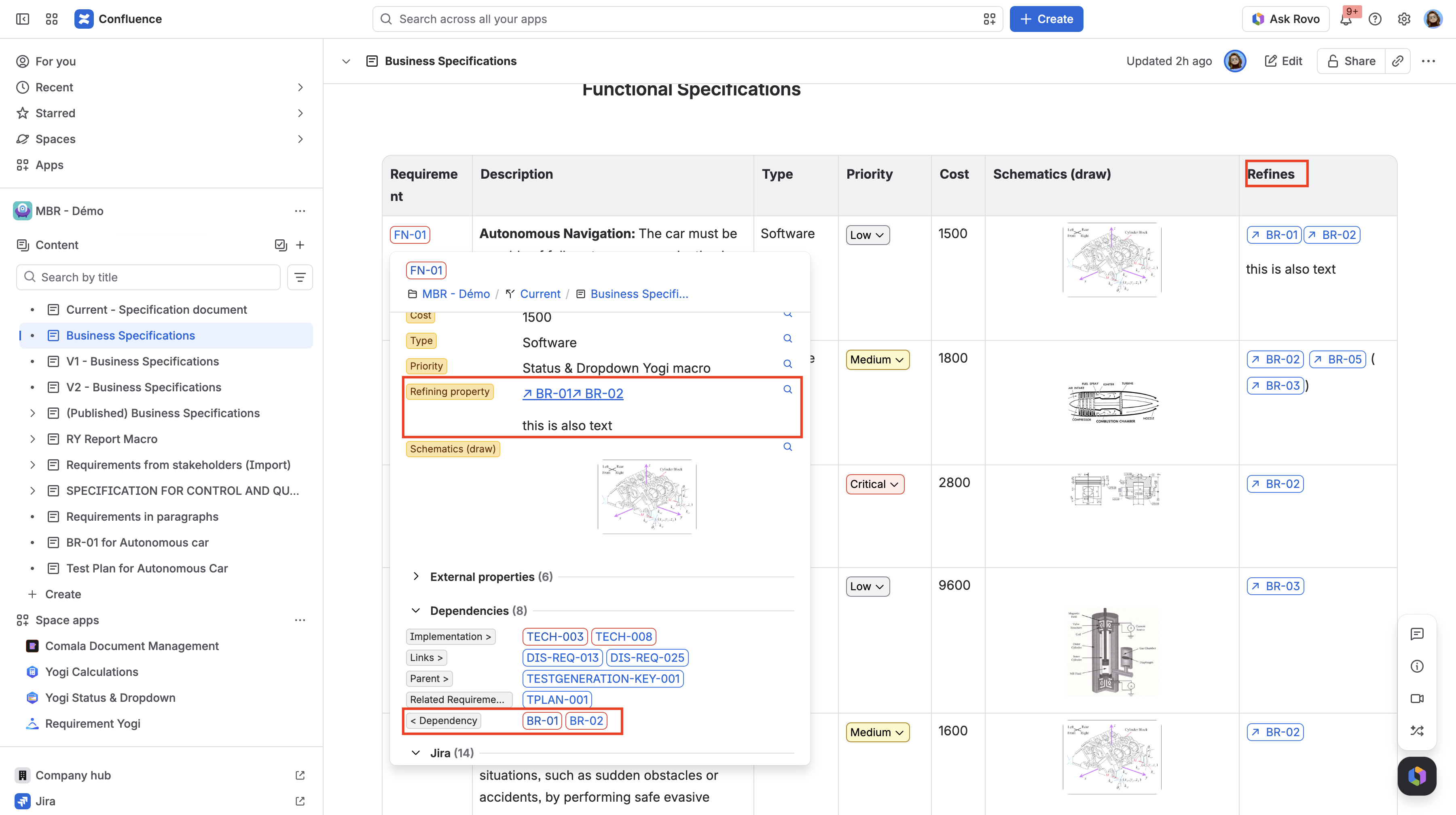
|
You can quickly "unindex" the requirements in a page by adding a configuration macro at the top of the document and uncheck the requirements column. It can be useful when you have duplicated requirement definitions.
Frequently asked questions
What is the difference between properties and external properties ?
-
Properties are defined in the Confluence page, as columns of your table (for horizontal tables), or rows (for vertical tables). The only way to edit properties is to edit the Confluence page of your requirement.
-
External properties are defined in the requirement’s detail, or in the Traceability Matrix. Their use case is to let you add metadata to requirements without affecting the Confluence page.