
Contents of the release
In this release, we’re adding features to the Requirement Types, introduced in 4.0:
-
New layout for the screen,
-
Validation rules on dependencies,
-
Validation rules on Jira issues.
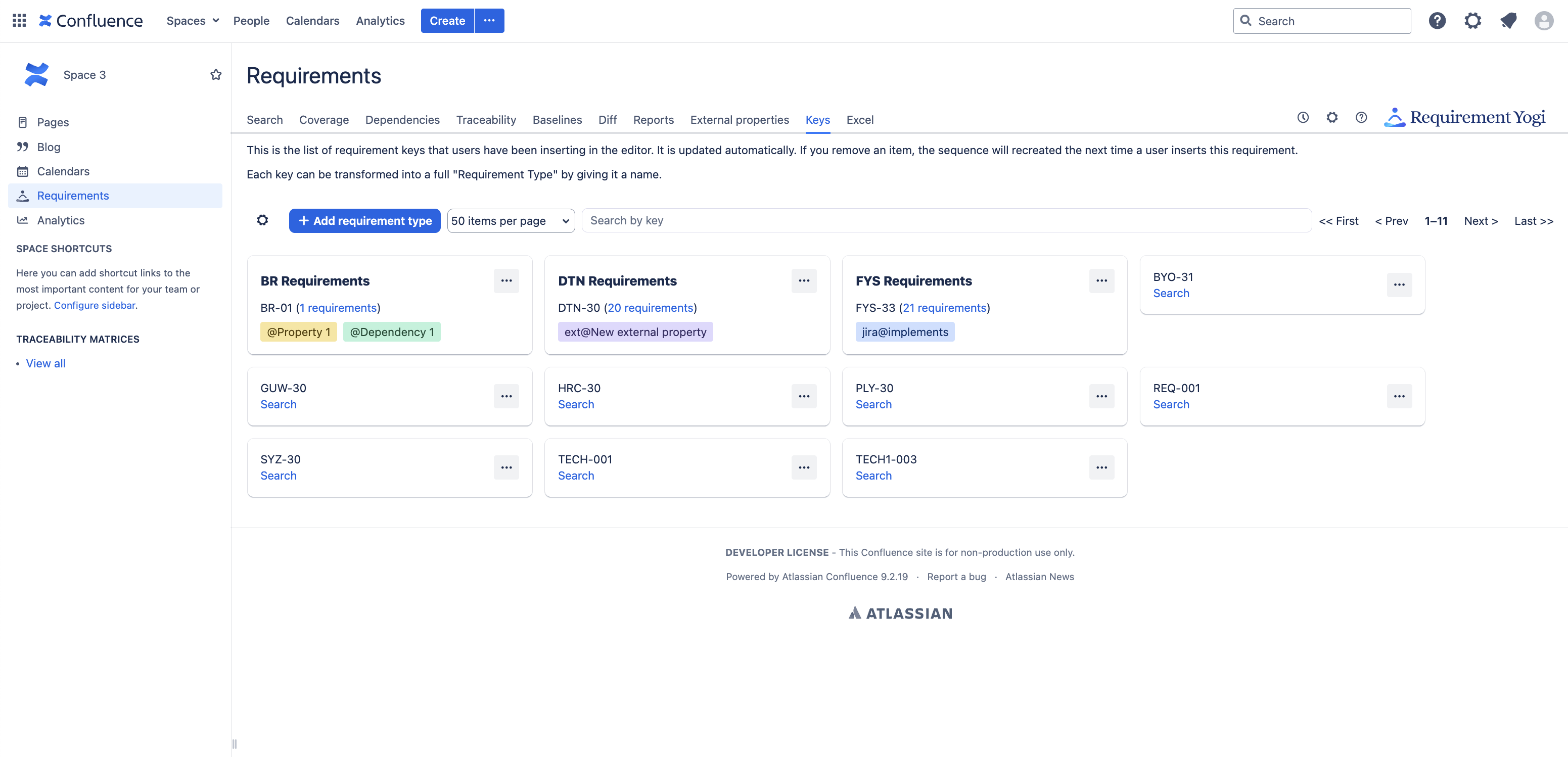
New layout for the Requirement Types / Key Suggestions
We don’t separate the key suggestions anymore, we just display requirement types with a bold title.
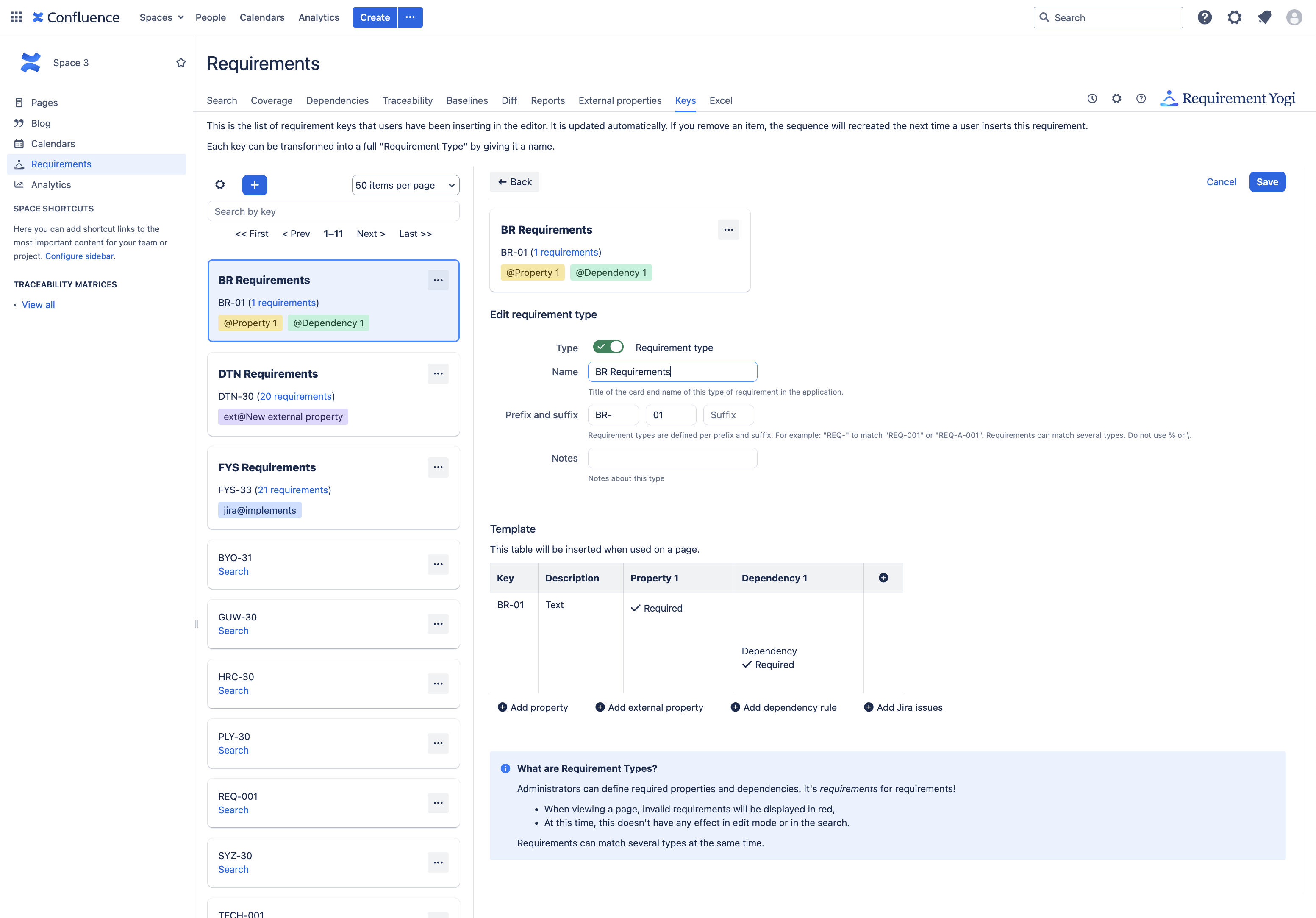
In the detail view, users can now add various items to the example table:
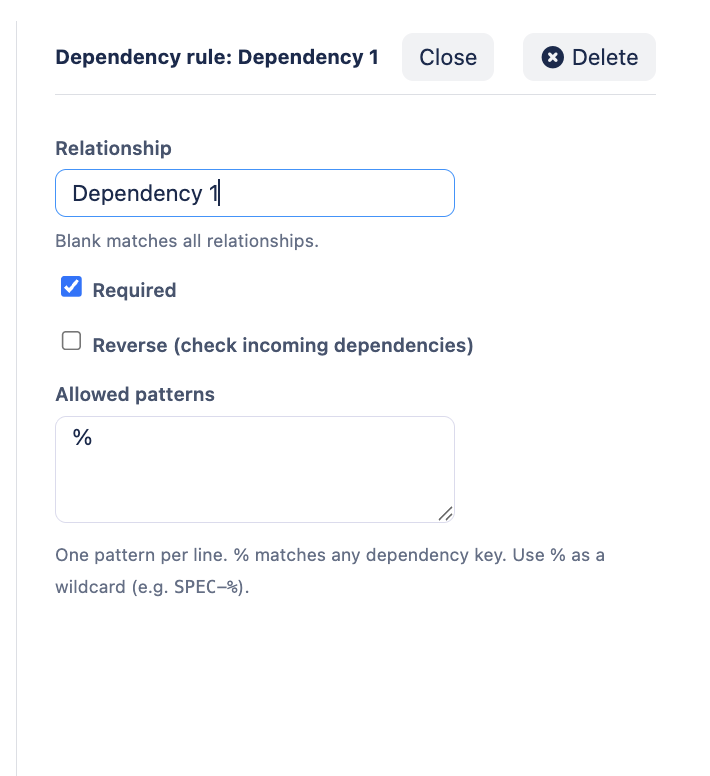
A third panel can appear to tune the details for a specific rule:
Make dependencies mandatory
Users can make dependencies required. Like properties:
-
Non-required dependencies only appear in the editor as warning,
-
Required dependencies appear in view mode, in the popup, as an error.
-
By default, the dependency must be in the table of the requirement. If “Reverse” is ticked, then another requirement must point to the current requirement as a dependency.
-
Users can require a specific relationship and key pattern.
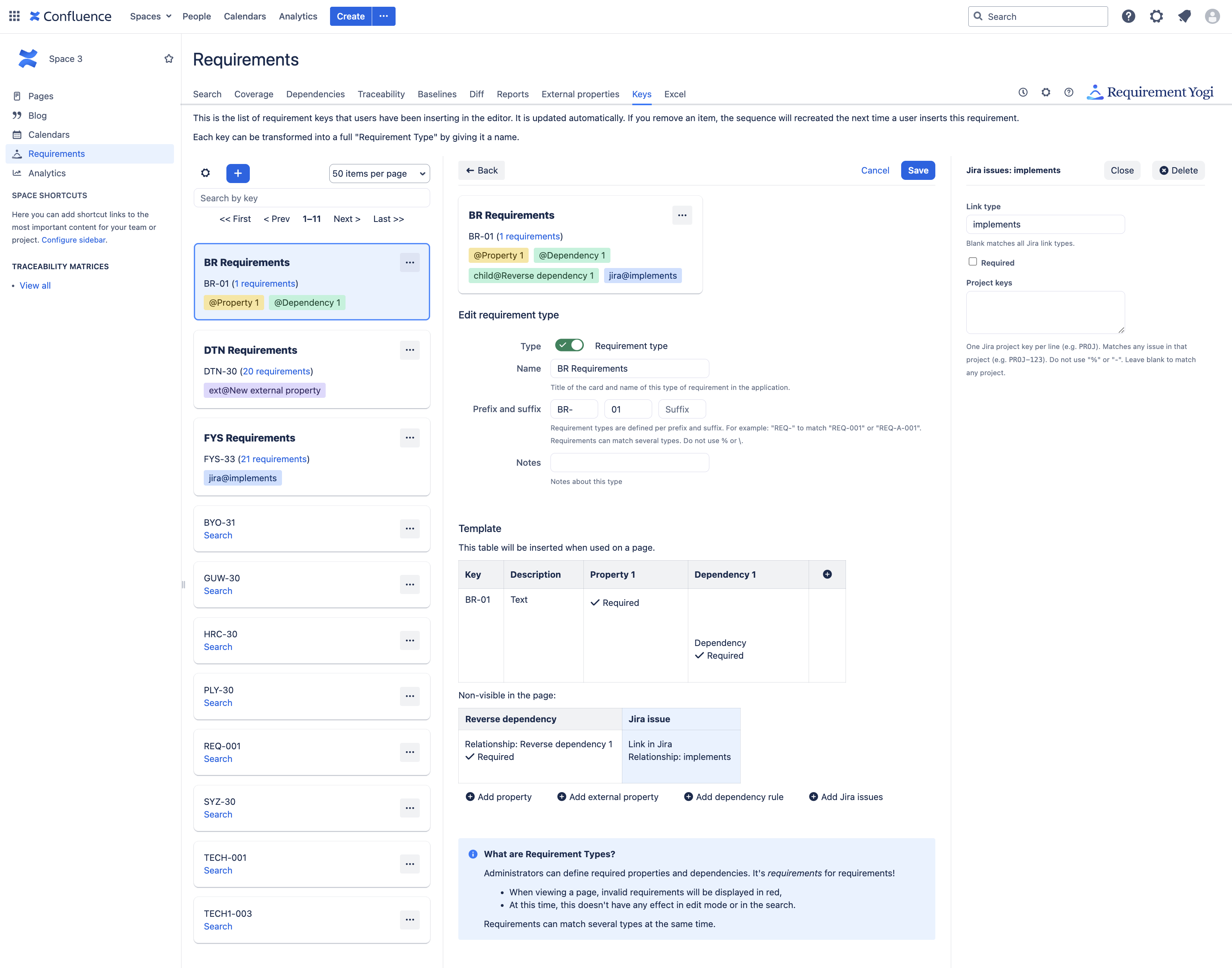
Making Jira issues mandatory
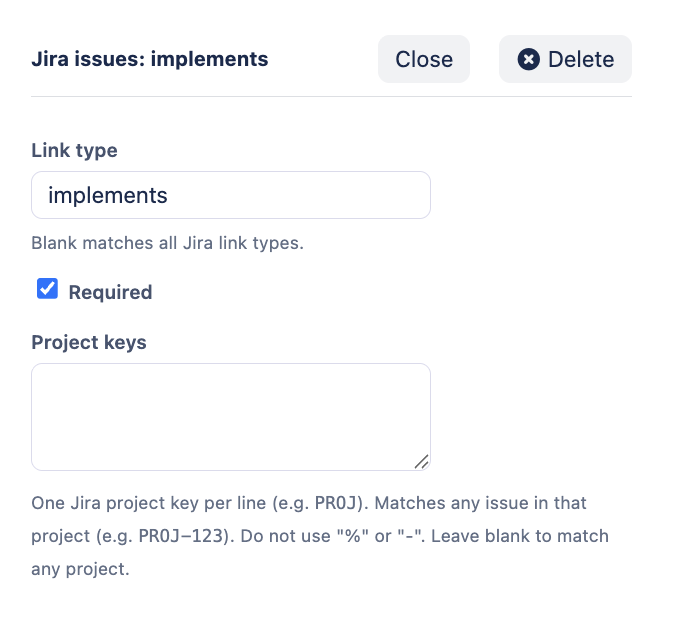
Requirements will have an error or a warning depending on whether Jira issues point to the requirement. Note that it is not possible to filter by issue type - only the project key and the link relationship are checked.
External Properties
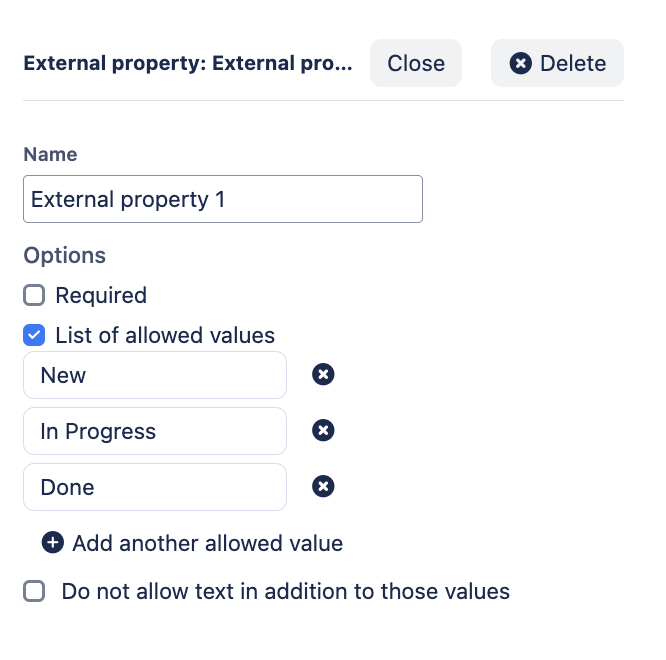
The form is identical to inline properties, except External Properties are not part of the table that will be inserted on the page when a user inserts the requirements.
Inheritance
There has been a long debate on how we support inheritance. Result:
-
Users set a prefix and a suffix,
-
Anything between can be numbers, but also sub-parts of keys.
-
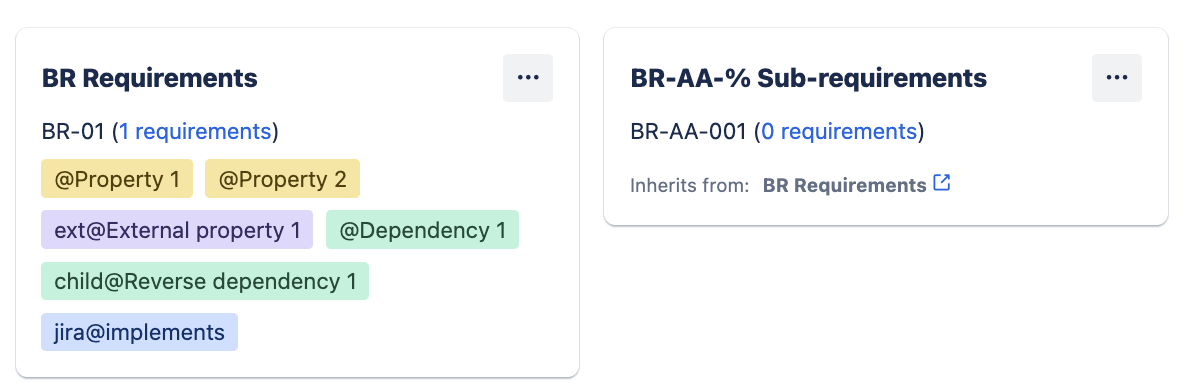
For example, the requirements types
BR-%andBR-AA-%both apply toBR-AA-01. -
We are aware that this is unexpected for users, who would prefer those to not inherit from each other, and
%to only represent numbers. However, for technical reasons, we can only use the LIKE operator in SQL, which limits the efficiency of requests and therefore the kind of features we can offer.
As a result, as a hint for users, when a requirement type is a subset of another, we display a little link titled “Inherits from”:
Notes for system administrators
-
Confluence 8.5 is end-of-life, please upgrade to Confluence 9.2 as per our Compatibility matrix,
-
We’re reaching 15% installations of Confluence 10, it is time to plan for an upgrade,
-
Migrations to the Cloud: The Cloud now has more features than the Data Center version.
Risk assessment
-
There is no major change in this release,
-
The scope of the modifications what the UI of the “Keys” tab, and code in the editor of Confluence to insert the new requirement types,
-
In case of difficulty, it is possible to downgrade the plugin to 4.4.19. To do so, uninstall the plugin (the data won’t be deleted), download the older version from the Atlassian Marketplace and install it by uploading it in UPM.
Low The risk is never nil, but still low.