
In the Administration
Requirement Yogi has a few usage metrics in the administration:
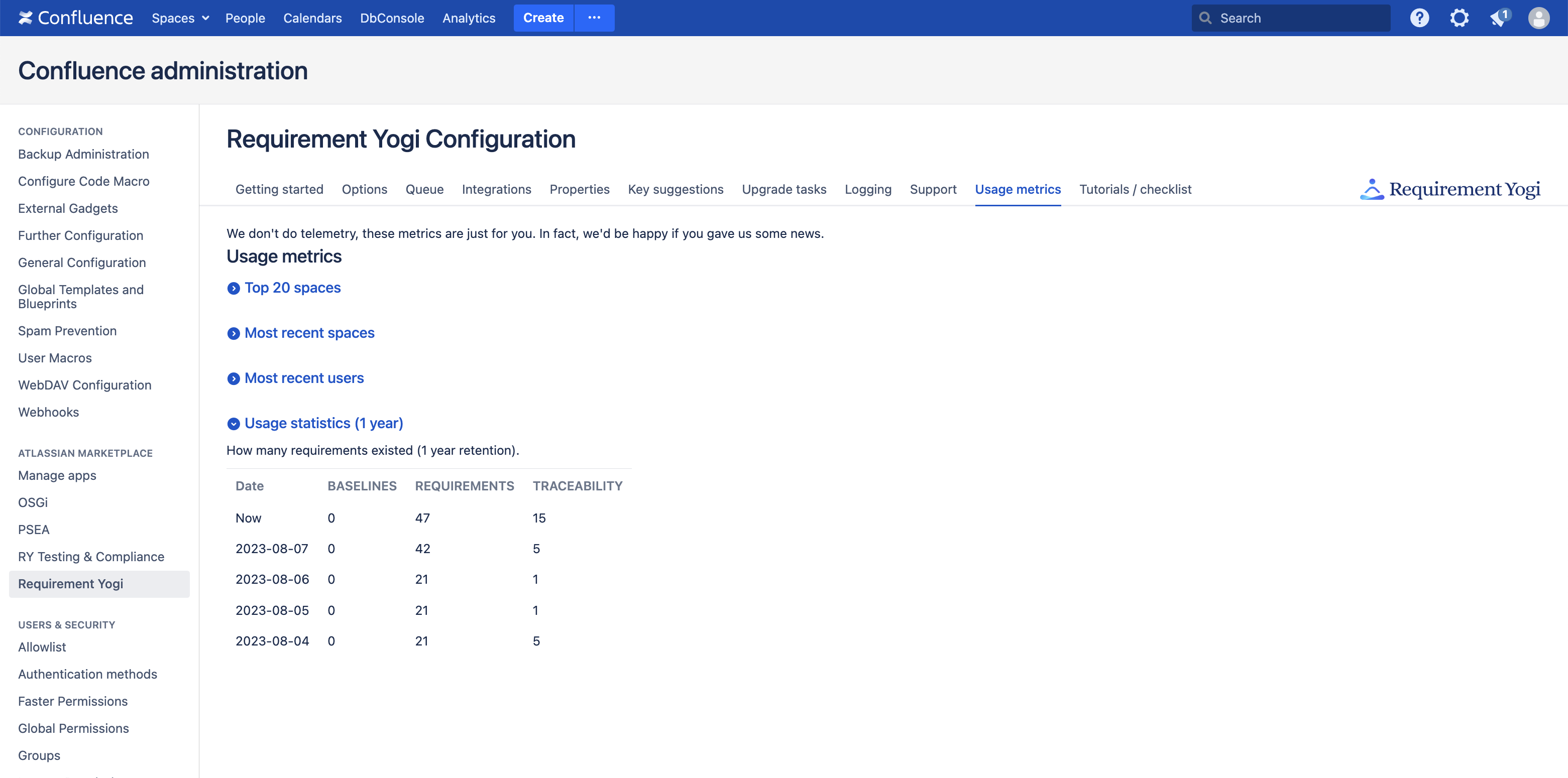
However, the API of Confluence doesn’t allow us to perform proper aggregations. So, if you are a database administrator, you may want to understand how the data is stored, to be able to extract information yourself.
Please check out this tutorial for a quick overview: https://youtu.be/ruOAucnSxno?si=07gnqio1jHgeibZu&t=242
Disclaimer
Direct SQL access is not supported
Accessing the database directly is neither supported nor covered by our agreement, since:
-
Any upgrade may require that you change the way to extract data,
-
You may extract wrong data,
-
SQL is hard and you may make mistakes that erase or corrupt data.
Accessing the Requirement Yogi database in Confluence
Prefix: AO_32F7CE
All our tables are stored with the prefix “AO_32F7CE” (“AO_42D07A” in Jira, “AO_B895AB” for PSEA, it’s easy, it is the md5 of the plugin key).
Tip: Most databases assume that table names are lowercase, even when you type SELECT SPACEKEY, KEY, BASELINE FROM AO_32F7CE_DBREQUIREMENT. So you have to put double-quotes ("), or backticks in weird databases (`) : SELECT "SPACEKEY", "KEY", "BASELINE" FROM "AO_32F7CE_DBREQUIREMENT".
Table AO_32F7CE_DBREQUIREMENT:
-
ID: Technical primary key
-
SPACEKEY*: The space key
-
KEY*: The key of the requirement
-
BASELINE*: The baseline (for ARCHIVED requirements only), or null (for ACTIVE only).
-
STATUS: ACTIVE, ARCHIVED, MOVED, DELETED.
*Primary key
Usual queries
Get the count of requirements by space and status:
select "SPACEKEY",
       SUM(CASE "STATUS" WHEN 'ACTIVE' THEN 1 END) "COUNT_CURRENT",
       SUM(CASE "STATUS" WHEN 'ARCHIVED' THEN 1 END) "COUNT_BASELINED",
       SUM(CASE "STATUS" WHEN 'DELETED' THEN 1 END) "COUNT_DELETED"
from "AO_32F7CE_DBREQUIREMENT"
group by "SPACEKEY"
order by "COUNT_CURRENT" DESC
;
We’ll write more queries here, as customers ask.
Database schema
Please go to Database schema for details about the SQL schema.